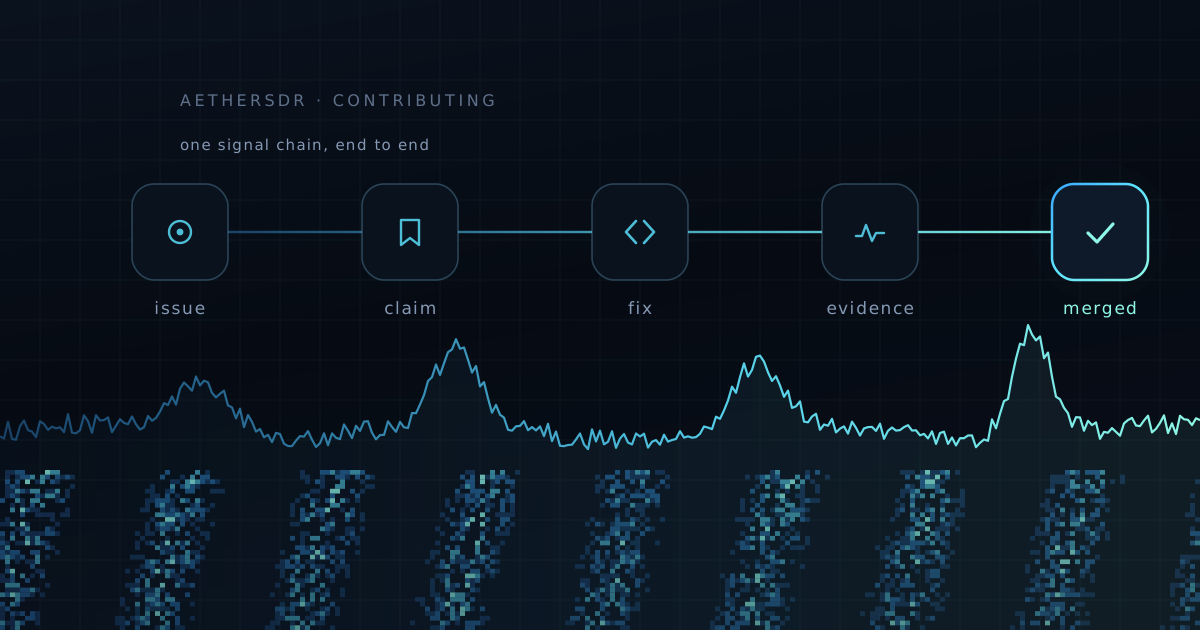
You no longer need to be a C++ programmer to fix something
in this project. You need judgement, a radio, and the patience to check
work — the same things that make a good Elmer.
Every open-source project says it welcomes newcomers. Most then hand you
a wall of build instructions, a toolchain that fights you for a weekend,
and a code review that assumes you already know what a rebase is. The
welcome is sincere; the on-ramp is still a cliff.
That cliff is what actually changed. Not the code — the on-ramp. We've
published a first-contribution cheat sheet
that takes you from "I've never used GitHub" to a merged pull request, and
the striking thing about it is that you never type a command. Every step is
a sentence you say, in English, to an AI coding agent working inside your
editor.
You're the control operator
Here's the part worth being clear about, because it's where the whole
thing succeeds or fails: the agent does the typing, not the deciding.
It will install dependencies, find the bug, write the fix, and draft the
pull request. It will also sound completely confident while being wrong.
That is not a flaw you can prompt your way out of — it's the nature of the
tool, and it's exactly why the human in the chair still matters. Your job
is to read what it proposes before you say yes.
If you've ever supervised a Technician on your license, the arrangement
will feel familiar. Someone else is on the mic. You're still responsible
for what goes out. The cheat sheet states it as four rules, and the third
one — it sounds confident even when wrong — is the one to
internalize.
So the skill that makes you useful here isn't C++. It's knowing what
AetherSDR is supposed to do when you key up, and noticing when it doesn't.
That's operator knowledge, and no amount of model capability substitutes
for it.
What it costs to start
Three things: a free editor, a GitHub account, and one AI coding agent.
The cheat sheet walks through Copilot, Codex, and Claude Code side by side,
including which tiers can actually drive your editor and which are chat
only — a distinction worth checking before you pay for anything. There is
a genuinely free path. Limits shift often enough that the cheat sheet links
to the live pricing pages rather than quoting numbers that go stale.
The GitHub account is the one step nothing can do for you. Pick your
callsign as the username — it's public, and it's the handle the rest of us
will know you by.
Finding a first job
Issues tagged good first issue
are the front door. Ask your agent to read the open ones and explain the
top few in plain English, then to recommend one — it's surprisingly good at
judging which bugs are self-contained.
Then claim it before you start. Claiming means adding yourself to the
issue's assignees, not leaving a comment saying you'll take it. Our triage
bot is auto-assigned to everything, so an issue showing only the bot is
free. This is the one piece of etiquette that matters on day one: it's what
stops two people quietly fixing the same bug on a Saturday afternoon.
Bring evidence, not vibes
"Works on my machine" is not evidence, and this is where a first PR
usually either lands or stalls.
AetherSDR ships an agent automation bridge — a switch you flip at launch
that lets your agent drive the running application directly: read the state
of any control, move sliders, click buttons, capture the panadapter. So
instead of asserting the bug is fixed, your agent can walk the issue's
exact reproduction steps through the app and show the control values before
and after.
It's the difference between eyeballing the S-meter and putting the radio
on a service monitor. Reviewers here look for that trace, and a first pull
request that arrives with one moves noticeably faster than one that says
"works for me."
Two ground rules the cheat sheet is firm about, both of which protect your
station rather than the codebase: check the radio isn't already in use
before launching a test run, because two clients fighting over one radio
produce evidence that is simply wrong. And ask for receive-only testing.
The bridge refuses to transmit unless you explicitly enable it — leave it
that way for your first run.
When it goes wrong
It will. A build will fail, a check will go red, GitHub will call your
commit "Unverified" for reasons that make sense to roughly nobody the first
time.
The entire troubleshooting procedure is: copy whatever you see, paste it
to your agent, and add "This happened. What does it mean and what
should we do?" That sentence resolves the overwhelming majority of
first-timer problems, because the errors are well-known ones and the agent
has seen them all.
Why we bother
Ham radio has always run on people explaining things to each other —
someone signed your license test, someone talked you through your first
HF contact, someone told you your audio was too wide. That tradition is
the reason this project is worth contributing to at all.
The tooling now handles the part that used to gate people out: the syntax,
the build system, the git incantations. What it can't supply is someone who
knows what a properly-behaving panadapter looks like at 3 AM during a
contest. That's you.
Read the cheat sheet,
pick an issue, and open the pull request. If you get stuck at any point,
start a discussion —
asking early is not an imposition here, it's the tradition. 73.
Seventy-two merged changes. The one you will notice first is small and sits in the title bar: when a new release is out, AetherSDR now tells you, once, quietly, and then leaves you alone. The one that matters most if you run SmartSDR 4.3 is that a wide panadapter on a Retina screen can no longer stop your radio's display for every client connected to it.
SmartSDR 4.3, continued
v26.10.3 brought the first SmartSDR 4.3 controls. This release fills in more of what 4.3.16 changed. The headline is Noise Floor Range: how far the measured noise floor may move before the Auto FFT floor repositions the panadapter. At high zoom the old fixed tolerance made the trace hunt up and down. The radio now lets you widen it from 0 to 10 dB, and AetherSDR has an NF Range slider under FFT Floor to set it. It shows the value the pan reports and sends a new one only when you let go, click or press a key, so a drag does not flood the radio. It stays dimmed, with the reason in its tooltip, until the radio is a FLEX-8000 or Aurora on 4.3.16 or later, the SmartSDR+ license is confirmed and the pan has reported its value. The radio owns the setting; AetherSDR stores nothing and never re-sends it.
SmartSDR's new CW profiles now appear and can be loaded, created, deleted and reset. Amplifier and tuner meters whose handles sit above 0x80000000 are read as the unsigned numbers they are, which is what kept PGXL meters falling off the amplifier panel and TGXL meters landing on it. APD follows the radio's own state, and an equalizer status counts only for the transmit slice, antenna, frequency and power it was reported for. SmartCAT and rigctld learn 4.3's split FreeDV modes, so a logger no longer reads a FreeDV slice as USB and switches it out of FreeDV.
The fix that needed the most care is the smallest diff. A FLEX-8600 on 4.3.16 accepts a panadapter of 4093 pixels or more and then sends no spectrum or waterfall to any client until it is rebooted. SmartSDR froze alongside AetherSDR. A Retina display asks for double the pan's width, so any pan wider than about 2,047 points tripped it. Bisection on the radio put the last working width at 4092. AetherSDR now never asks for more than 3840, which leaves margin for models and firmware nobody has measured yet.
An update check that stays out of the way
Fifteen seconds after launch, at most once a day, AetherSDR asks GitHub whether there is a newer release. If there is, an UPDATE pill lights beside the wordmark. Nothing pops up, and "up to date" or a failed lookup stays silent. A failed attempt counts toward the daily wait, so a blocking proxy costs one request a day, not one per launch. You can skip a release, and a skipped release never lights the badge. Store-managed installs never show it, because the Store does the updating.
Clicking the badge, or File → Update..., opens the new Updates window. It shows the release and its chapters, and Get AetherSDR opens the download built for your computer. Radio firmware has moved here too, out of Radio Setup: FlexRadio's published releases in one lane per major line, the installed one outlined and the newest in your radio's own line preselected. A v3 radio is offered v3, never v4. Install checks the download against FlexRadio's own MD5 before anything reaches the radio, and if that checksum cannot be fetched, it stops and asks again.
Underneath, every release now publishes a signed manifest and per-file patches, and on Windows the app can already stage a verified update and swap it in after it exits, rolling back if the new version fails its check. None of that is switched on yet. The button that starts it is the next step, and this release deliberately ships the parts it depends on first, each one tested against a real install.
New hardware, and an Icom panadapter that holds still
The RF-KIT RF2K-S joins the amplifier list, talking to the amplifier's REST API: power, SWR, temperature, supply, tuner state, OPERATE/STANDBY and a confirmed error reset. It was tested on an RF2K-S; other RF-KIT models are untested. On the IC-7300MK2, IC-705 and IC-9700, the panadapter now runs in the radio's SCROLL-F mode, so clicking and dragging tune the VFO without moving the window, which is how a Flex pan has always behaved. Center and Fixed remain selectable. The ANAN-G2 can now select its receive band-pass filters as it tunes and mute its own speaker amplifier. The CTR2-Max relays over USB with Lynovation's firmware from v1.02.00, and a negotiated wide-report link carries seven times the data for devices that offer it.
Also in this release
If you upgraded a Windows install that dates from before May, HTTPS should work again. An old installer left a Qt 6.7 TLS plugin behind that cannot load under Qt 6.12, and it silently disabled SmartLink, update checks, QRZ, FreeDV Reporter and every model download. The installer now clears the Qt plugin folders on upgrade. Touch screens get pinch-zoom on the panadapter, press-and-hold for a right-click and kinetic scrolling, aimed at the Maestro's front panel. TCI no longer leaves the radio's transmit DAX flag on after a digital-mode session, which left the next microphone transmission unmodulated. A host firewall that drops unsolicited UDP no longer leaves a LAN connection with no spectrum or audio. Underneath, slice lifecycle, split routing and panadapter control moved behind typed backend requests, another step in the headless-engine work.
72 merged changes from 13 contributors, plus one Dependabot update — including two first-time contributors this cycle. Full release notes and the complete commit list: v26.10.4 on GitHub.
Eighty merged changes, and the biggest group of them answers a firmware release: SmartSDR 4.3 shipped controls that AetherSDR could not reach, and now most of them can. Alongside it, a third CW decoder joins the panel, and this one is a neural network.
SmartSDR 4.3
Four controls arrive, each one gated on the firmware, hardware and license that make it real. Auto AGC-T lets the radio set the AGC threshold itself: an A button on the RX applet and an Auto button in the slice's Audio tab, with older firmware and other radios keeping manual behavior and saying why. DSP parameter Reset asks the firmware for its defaults, but only when you choose a target and press Reset. Nothing resets on selection, reconnect or startup, and AetherSDR never guesses what the defaults are.
RCA off/TUNE moves TUNE suppression of the transmit outputs onto the radio, per band, in TX Band Settings. This one needs your attention after upgrading: on 4.3 the radio owns the setting whether a box is checked or not, old client-side preferences are not carried over, and an unchecked box means no suppression. Review each band. PTT Mic Override exposes the radio's own setting, so hardware PTT can use the analog microphone under the documented Multi-Flex conditions. The setting itself never keys the transmitter.
A neural CW decoder
DeepCW joins DeepFist and ggmorse as a receive decoder, on Apple Silicon, Linux and Windows builds with ONNX Runtime. The models are not bundled: they download from their upstream sources on first use, checked against pinned sizes and hashes. Only the decoder you select runs. DeepCW commits its text five seconds behind the live edge, so what you read does not change after it appears. ggmorse stays the default and the transmit decoder, and Intel Macs keep ggmorse alone.
Squelch that stays with its slice
Twelve Auto squelch corrections share one cause: the setting belonged to the applet, not the slice. Selecting a different slice could switch squelch on for one you had left off, or stop Auto on the one you had left running. A CW or FT8 receiver could keep showing a squelch line its mode cannot use. Each slice now owns its Auto setting and margin, each pan measures its own noise floor and draws only its own slice's line, and a manual threshold survives a trip through Auto or a data mode.
Also in this release
The voice keyer records locally: twelve 30-second slots from the PC microphone, with preview, import and export, alongside the radio's own recordings. Elecraft KPA500, KAT500 and KXPA100 panels join the station controls over serial or raw TCP, and the original SPE Expert 1K-FA is supported. The Hermes-Lite 2 transmits AM, DSB and simplex FM through WDSP, and RTL-SDR receives SSB, CW, AM and synchronous AM. SpotHub, Radio Setup and AetherControl move onto the AetherSDR style guide, and more desktop controls move behind the typed backend seam.
80 merged changes from 14 contributors, plus two Dependabot updates — including one first-time contributor this cycle. Full release notes and the complete commit list: v26.10.3 on GitHub.
One hundred and six merged changes, and the one that will matter most to some of you is the least visible: if your station sits behind carrier-grade NAT, AetherSDR can now reach it anyway, through a Tailscale node that runs inside the radio itself.
The radio, from anywhere
CGNAT is the quiet end of a lot of remote stations. Your provider hands you an address that is shared with hundreds of other customers, nothing can reach in, and port forwarding stops being an option you can buy your way out of. SmartLink works around it through a relay. A VPN works around it if you have a box at home to run one on.
The FLEX-8000 and Aurora radios already have a box at home to run one on: themselves. They run Docker waveform containers, so this release ships flex-tailnet-shim, a small Tailscale node that installs into the radio as a waveform. It joins your tailnet and passes the SmartSDR control connection and the VITA-49 streams through to the radio, so AetherSDR on a laptop on the other side of the world connects as though it were on the LAN. Install it from Waveforms → Install… → Remote Access (Tailscale). AetherSDR downloads a pinned image and checks it against a pinned size and SHA-256 before it goes anywhere near the radio. Configure… then opens a window for the auth key, the machine name and an allowlist of who may connect.
Two decisions are worth explaining. First, the shim closes the radio connection the moment a client goes away. That is how the radio knows to unkey anything that client owned, and a tunnel that kept a dead session alive would be a tunnel that could leave a transmitter keyed. Second, it checks every caller against your allowlist, and that includes the 4O3A station devices it can share as subnet routes. Saving a narrower list ends the connections it now refuses, but only on a definite refusal: a lookup that times out keeps you connected rather than dropping everyone on the list.
A tailnet carries 1280-byte packets, and VITA-49 sized for an ordinary LAN does not fit. That was the "connects, but no panadapter and no audio" report from a station behind a travel router. AetherSDR now caps its network MTU at 1200 whenever either end of the connection has a tailnet address. It never rewrites the value you saved, so the next LAN connection gets it back. Network Diagnostics gains a Remote Link view showing the tunnel's path, its round-trip time and where any packet loss happens: before the tunnel or inside it.
One bar, and a style to grow into
The main window now has a single 52 px title bar on all three platforms. It holds the menu, a tab for each radio you know about, the audio controls and the window controls. The separate heartbeat lamp is gone: the radio tab's own dot pulses, and if the link drops unexpectedly it turns red and says "link lost" in words until you deal with it. On Windows and Linux the menus live behind a ☰ button. macOS keeps its system menu bar and its traffic lights. If the new chrome does not suit your window manager, View → Frameless Window is still the way out.
Alongside it, AetherSDR now has a written style guide, and the first windows have moved onto it: About, AetherRX, AetherTX, AetherModem, AetherGPS, Connect to Radio, AGC-T Calibration and the PSK Reporter map, now called AetherMap. They drop the title bar, close with Esc, and can be dragged from anywhere empty. The panadapter is the first surface inside the main window to follow, with a transparent header that lets the spectrum run to the top of the pan. This is deliberately one surface at a time. The final step, flipping the app's base colors to the canon, comes last, once everything that would look wrong after it has been moved.
A manual you can find
The user guide has left the GitHub wiki. Search engines never indexed the wiki, and it had drifted five months behind the app. It now lives in the repository and is published at docs.aethersdr.com. There is a Stable version for this release and a Next version that tracks development, plus a printable PDF manual signed with each release. More than a hundred of its screenshots come from a real radio on a real band, with addresses, serials and locations redacted. Because the docs now change in the same pull request as the behavior they describe, they should stop drifting.
The site also hosts a Log Analyzer. Drop a log or a support bundle onto it and it points at known problems, each linked to its fix. It runs entirely in your browser and uploads nothing. The app's Help menu links to all three.
Also in this release
The Digital Voice Keyer imports any WAV: it converts the file to the radio's 24 kHz mono, so a clip no longer plays at half speed, and slot names keep their spaces. Two new panadapter sliders, FFT Smooth and FFT De-comb, shape the trace across frequency and are off by default. De-comb turns a voice's harmonic comb into its envelope, so it keeps the peak level instead of averaging it away. TCI now announces every tune start and stop, which an external tuner controller needs. Copy Assist can transcribe from the audio before noise reduction, and on one recorded ragchew that cut its error rate by a third.
RTL-SDR gains WFM stereo, live PPM adjustment and per-receiver squelch, meters and audio feeds, and every official package now includes it. The Hermes-Lite 2 and the ANAN-G2 now remember where you left them across a restart. Two HL2 level changes are worth knowing on upgrade. Receive audio is 12 dB quieter, because it now leaves the DSP at unity. CW is sent 6 dB stronger at the same drive, matching TUNE. Four IC-7300MK2 control defects are fixed, and radiocert gained the checks that would have caught them. Windows builds are now Authenticode-signed, the installer ships its own firewall rules, and every release keeps its debug symbols, so a crash in a shipped build can be traced.
106 merged changes from 15 contributors, plus AetherClaude — including one first-time contributor this cycle. Full release notes and the complete commit list: v26.10.2 on GitHub.
Ninety-five merged changes. The structural one is the shortest to describe: every AetherSDR binary and every source build now uses one Qt, 6.12, and getting it is one command. The operator-facing one is the longest: on a radio that doesn't speak Flex, every control now either does what it says or tells you why it can't.
One Qt
Until this release the releases shipped on Qt 6.8.3, while a source build would take any Qt from 6.8 up. Every newer API therefore needed a version guard, and CI compiled the whole tree a second time against 6.8 to keep those guards honest. Now the Windows, macOS and Linux binaries move to Qt 6.12.0 LTS, and source builds require 6.12 too.
Few distributions package 6.12 yet, so the Qt comes from scripts/setup/setup-qt.sh (setup-qt.ps1 on Windows). It installs exactly the release Qt, plus qtkeychain, into a per-user cache that every checkout shares, and CMake finds it with no flags. It refuses before a 2 GB download when the machine can't run the result, and a failed reinstall leaves the working Qt in place. A single pin file is checked against every place the build names a Qt, so the version can't drift between a workflow and a Dockerfile again.
There is a cost, and it belongs in the release notes rather than in a support thread. Both macOS DMGs now require macOS 14.4, so an Intel Mac that can't run Sonoma stops receiving updates. Source builds are lost on Linux below glibc 2.34 (2.38 on aarch64), on architectures Qt publishes no binaries for, and on Macs below 14.5, until a Qt 6.12 reaches them some other way. Windows 10 stays supported: Qt says 6.12 is its last line to do so. That trade was made deliberately, against two Qt builds' worth of guards and CI.
Work, or say why
On a Hermes-Lite 2, an ANAN, an RTL-SDR dongle or an Icom, a whole class of controls used to take your input and silently do nothing. Their instruction was written for a Flex and thrown away before it reached the radio. A headphone slider moved and nothing changed. A CAT client was told RPRT 0 for a step size that never landed. A REC button waited for a radio-side recorder that doesn't exist.
Every one of those controls is now one of three things. Where the radio can already do what you asked through another path, the control takes that path: CAT step sizes, band-stack recall of AGC and noise reduction, rigctl RF gain, and Radio Side recording, which now records on this computer. Where the radio has no such thing, the control is dimmed — never hidden — and its tooltip and its screen-reader description both give the reason. Everything else refuses before anything is sent, and says so once. Controls that do work no longer raise the "nothing was sent" notice either, so the next one that appears means it.
Through AetherSDR, not around it
A CTR2-Max controller can now reach the radio through AetherSDR's new CTR2 Proxy applet. It forwards every byte unchanged, as a client of its own, and never touches AetherSDR's transmit paths. It only ever targets the radio AetherSDR is connected to, and it stops the moment AetherSDR disconnects. Wi-Fi works with today's CTR2 firmware. The USB link's host side is done and has already carried the radio's status stream to development firmware; it waits on a CTR2 USB firmware release.
Direct connections to a TGXL, a PGXL or an Antenna Genius now authenticate with the device's access code, stored in the system keychain and bound to the address you typed it for. Radio Setup gains a Peripherals page with Add, Remove and a per-device auto-connect switch.
Also in this release
The Hermes-Lite 2 gains receive squelch referred to its LNA, the CW audio peaking filter, an AGC-off level that actually sets the gain, RIT and XIT per receiver, FFT AVG that genuinely averages, and the CL1 external 10 MHz reference. DIGU and DIGL now open with AGC off, and that is worth knowing on upgrade. The ANAN-G2 applies each receiver's AF gain, mute and balance, and plays through its own speaker. RTL-SDR publishes only the receive state the dongle has confirmed. Underneath, the slice receive controls now travel behind the backend seam as typed requests, removing 44 raw Flex commands from above it.
95 merged changes from 12 contributors, plus AetherClaude. Full release notes and the complete commit list: v26.10.1 on GitHub.
Back to blog
·4 min read·@chibondking (CJ, WT2P) operating the NW8S (KB8O) FlexRadio station remotely
Adaptive Throttle held the line at CQ WPX CW — and two more bugs died live, mid-contest
CQ WPX CW this year was 1,048 QSOs, 4 bands, 73 DXCC entities, over 47 hours 40 minutes — run entirely on a FlexRadio in KB8O's shack in Ohio, from my desk in Illinois, over a link that was variable in its reliability (VPN, etc.). This is the post about why it held anyway, and about two bugs that only showed themselves under real contest load and got fixed while the clock was still running.
At a glance
QSOs: 1,048 (435 on 40m, 494 on 20m, 109 on 15m, 10 on 10m)
Avg rate: 22/h
Best hour: 95 Q
Best 10 min: 25 Q (~150/h)
DXCC / zones: 73 / 24
Longest gap: 10h 43m
The link isn't the problem. Panic over the link is.
Adaptive Throttle (#2829) didn't come out of this contest — it came out of getting fed up with AetherSDR bailing on a merely-congested link like it was a dead one. Before the fix, 5 missed pings (about 5 seconds) was enough to declare the connection gone, tear down every panadapter, and force a full state rebuild. SmartSDR doesn't do this; it leans on the link by dropping frame rate first. So that's what AT does: as the measured network-quality score steps down through Good → Fair → Poor, every owned panadapter (not just the active one) gets told to cut its FFT/waterfall rate — 15fps/150ms → 8fps/250ms → 4fps/500ms — before pings ever start failing. Once you're actually in Poor, the disconnect threshold itself extends from 5 missed pings to 15, on the theory that the throttle has already bought the link some room to recover. Lift the throttle and each panadapter's own configured fps/waterfall setting gets pushed back to the radio — nothing generic, no guessing at what it "should" be.
I proved this on a 0300 CWT sprint before WPX, running remote to KB8O over a genuinely marginal link — an hour of Good/15fps with one clean dip to Poor/4fps and a clean recovery, no disconnects. WPX was the real test. I don't have a screenshot with a timestamp on it — I was a little busy — but I watched the link step down to 8fps multiple times over the weekend, and at no point did I lose a panadapter or get kicked back to a rebuild. That's the whole point of the feature: it should be boring.
Two bugs that only exist when you actually contest
Adaptive Throttle covers the radio link. It has nothing to do with the amp, the tuner, or the antenna switch — and WPX is exactly the kind of run that finds the gaps between those systems.
PGXL/TGXL/Antenna Genius would drop and just stay dropped. SmartSDR's own utilities for these devices reconnect on their own when a TCP hiccup happens over a remote link. AetherSDR's direct connections to them didn't — a drop meant a blank applet and a manual reconnect, every time, in the middle of a run. #3321 gives each of those connections a 5-second retry loop with a guard so it doesn't fight you if you disconnect on purpose, plus a fix for the case where the retry itself fails before the device comes back (Qt reports that as a different signal than a clean disconnect, and the first version of this patch didn't re-arm the timer for it — so it would try once and give up).
The PWR/SWR meters were technically live and practically useless. During a run they updated so fast the numbers were just noise — you couldn't actually read what the amp was doing between calls. #3277 gives the forward-power gauge slow-release ballistics (30ms attack, 800ms release) so a brief TX burst stays visible instead of flickering past, and throttles the numeric labels to update at 10Hz while the gauge fill still animates at full rate. Small fix, but it's the difference between a meter you glance at and one you have to stare at.
Both of these got found and fixed inside the contest window, not after it. Pattern was the same each time: notice it live, describe the bug to Claude, have it build a local Windows executable, run that build in place at the operating position, confirm the fix actually holds — then push the PR once the contest itself wasn't the thing depending on it.
Where that leaves it
Adaptive Throttle got tested twice — once on purpose, once for real — and then just became part of the app. I've run it daily on every remote session from May through now, September, with no reason to touch it. The peripheral reconnect and metering fixes have been running solid for months too — not patches that happened to hold over one weekend, but mature parts of the app at this point. All three came out of the same loop: notice a real failure under real load, fix it, prove it, ship it.
v26.9.4: one window per chain, and the meters that passed every test
Ninety-seven merged changes. The receive and transmit chains are rebuilt into one window each, WDSP 2.10 arrives with Neural Noise Reduction behind it, and precipitation goes worldwide. Running underneath is a quieter theme: several meters in this release were reading confidently wrong, and the reason none of them was caught earlier is that they all agree with a steady test tone.
One window per chain
AetherRX puts the whole receive chain in a single window, and every page in it reads the same way: switches along the top, the display beneath them, every knob in one row at the foot. Once you have learned one stage you have learned the shape of all of them.
The tab column down the left side is not a navigation aid — it is the chain. Each row carries an enable checkbox and a grip, and dragging a row rewrites the order the audio actually passes through. Stages are renamed to Gate, Compressor, Exciter and Final Output, and the old spellings still resolve, so nothing you saved stops opening.
Settings gains a profile library — save, load, import, export — that captures every stage’s parameters, its enablement, the chain order and the active NR method as one nested document. And the EQ page now draws the receive filter edges against the mode’s own width ladder; drag an edge and the slice retunes.
AetherTX is the same shape for the transmit side — Gate, EQ, De-esser, Compressor, Tube, Exciter, Reverb, Final Output — with the stage column, the page frame and the profile machinery shared with AetherRX rather than copied into it. That is the part that decides whether these two windows still behave identically in a year.
A few things moved while the walls were down. BYPASS, Record and Play went into the Settings dialog’s Chain section. RN2 moved to the gate toolbar, which is where it actually acts. The compressor makeup became a focusable, keyboard-driven control that announces itself through accessibility. Channel-strip presets are retired — each saved one is split, once, into its transmit and receive halves the first time you open it. Panels stopped polling the engine while invisible, a tube attack knob that changed nothing at all is gone, and a stored chain that names a retired stage now keeps the rest of your order instead of resetting it.
The meters that passed every test
Two measurement bugs in this release share a root cause, and it is worth sitting with, because it is the kind of thing that survives a careful test plan.
The first: on both raw-IQ backends, the S-meter was reading WDSP’s decaying peak-hold rather than its average. On a steady carrier those two numbers agree exactly — which is why every test-tone check passed, for as long as anyone has been running them, while the band noise floor was reading 11 to 14 dB high.
The second: the TGXL was metered from fwd, which sampled the gaps between syllables. Voice at 60 W was reading about 10 W. It now meters from the device’s own peak, and both peripherals are polled at about 60 Hz while transmitting and 4 Hz while receiving.
A steady tone is the one signal that hides both faults. It has no gaps between syllables and no difference between its peak and its average, so it confirms a meter that cannot measure speech. Every test involved was passing and the instrument was still lying to the operator — which is the argument for testing with the thing you actually transmit.
In the same family: the HL2 S-meter no longer publishes the silence clocked in while transmit-muted, so the needle neither dives on key-down nor on unkey, and ADC RMS is measured about the mean, so converter DC can’t deflate the crest factor that distinguishes broadband noise from a carrier.
WDSP 2.10, and a seventh way to fight noise
Neural Noise Reduction joins as the seventh client-side NR method, with its full ten-control surface and pinned default markers. It builds without DeepFilterNet, managed Kiwi sources are no longer silent under it, the selection survives a restart, and the stereo adapter is now told the real 192 ms end-to-end latency on the 24 kHz path with the default strength corrected to match WDSP.
It comes in with WDSP 2.10, which fixes an upstream use-after-free on the channel-open path. The refresh costs about 8.8 MB of resident memory per RX channel, because 2.10 instantiates NNR whether or not you use it. That number is in the release notes because it was measured and then judged acceptable, which is the only honest way to spend someone else’s memory.
NR2 also gains WDSP’s psychoacoustic post-processing — the residual-and-noise blend that fills the dead gaps between syllables, and which our port of emnr.c turned out never to have had. It ships off, exactly as upstream does. Alongside it, the minimum-phase FIR workspace — four FFTW_PATIENT plans per instance, 72 of them built and thrown away on a single channel open — is now built only when minimum phase is actually on.
Modes the radio cannot transmit, declared
The Hermes-Lite 2 took the largest share of this release, and one item in it is a genuine on-air fix rather than a convenience.
AM, SAM, DSB, FM, NFM, WBFM and DRM were all taking the upper-sideband branch of a phasing SSB modulator. Selecting AM and keying up did not produce AM — it put suppressed-carrier SSB on the air. Keying and TUNE now refuse in those modes, and the backend also publishes the modes it genuinely demodulates, so RTTY, DFM and DSTR stop silently falling back to USB.
The transmit level stack got the same treatment. The ALC now only ever reduces, and the Mic Level slider becomes the operator’s transmit level; the loop it replaces was applying up to 40 dB of upward makeup gain, lifting the room noise between your words along with your voice. Engine-generated audio keeps the level its generator chose, and the host-modulated WSPR beacon defaults to −3 dBFS instead of going out 18.6 dB down.
A WDSP TXA modulator is now the default, and the way it got there is worth recording: CMakeLists.txt carried the condition for flipping the flag, and the condition was an on-air test. ON8ST keyed it into a dummy load and then onto an antenna on 17 September, and that is what moved it. The in-tree phasing modulator remains one flag away, and its opposite-sideband suppression is now measured across the passband rather than asserted — 22 dB at 150 Hz on the DIGU/DIGL band, exactly the derived figure.
Also on the HL2: the dBm reference is derived rather than guessed — full scale is +3 dBm at the antenna at 0 dB LNA gain, from the AD9866 datasheet plus the input transformer and filter-board loss. The wideband bandscope is decoded and accounted for behind a duty-cycle gate that is off by default. Automatic RF gain drives on measured wideband headroom instead of the clip counter, and ships off until the +20 dB LNA default can be reconciled with the arming baseline — with a declined arm now explaining itself in the checkbox, on a card and through the accessible channel, because on a fresh install that refusal was the first thing a new operator met. And a zoom no longer silences the radio: pan-bandwidth chains are built on their own thread and installed in one turn, instead of rebuilding inline where EP2 pacing starves and the gateware watchdog halts the stream.
Weather, worldwide
The precipitation overlay that arrived for North America last release goes global. An opt-in LibreWXR layer carries worldwide precipitation, with independently selectable NOAA, ECCC and EUMETNET OPERA regional feeds behind it, an optional per-provider intensity legend, and default-off coverage shading drawn from 389 bundled sites. If you already had the weather overlay on, LibreWXR becomes your primary and NOAA stays selectable on its own.
Also in this release
Copy Assist stops taking the app down. A GPU without room for the model now fails the load and retries on CPU instead of dereferencing null inside vendored whisper.cpp, the default tier reads free GPU memory before reaching for large-v3-turbo, a fault in device discovery or model load leaves flushed stage records in the log, and a model running slower than real time drops audio at a bounded backlog and tells you how many seconds it dropped rather than queueing forever.
CW. An optional DeepFist receive backend lands behind a build flag that is off by default, with no model weights shipped; ggmorse remains the default and the sidetone decoder, and DeepFist invents no confidence, pitch or speed and does not feed callsign spotting. Separately, decoder parameter changes no longer race the decoding worker.
Panadapter and GPU. Extended TNF mirrors a tracking notch through the waterfall, the FFT average slider reaches the model on raw-spectrum backends so it survives a pan rebuild, ANAN crops its true panadapter edge instead of fading it and regains its noise-floor auto-adjust, and selecting the discrete GPU on a hybrid-graphics laptop under Wayland works now that a GLX-only environment variable stops vetoing the saved choice.
Amplifiers and tuners. The TGXL and PGXL gain front-panel presentations that lay out like the devices’ own panels — TUNE becomes STOP while a tune runs, the tuner’s alert channel shows as a banner, and the PGXL gains a drive meter from a DRV reading the radio had been relaying all along. The SPE LCD mirror stops blinking.
Writes that stop lying. QSO recordings claim their filename with exclusive creation and never truncate an existing WAV; an incomplete write is reported and the recorder stops safely rather than advertising a broken file; recording is rate-aware. DVK uploads don’t queue duplicate bytes on partial socket drains, and a failed export preserves the existing file. The PMS mailbox writes atomically and says SAVED only when it did. And a healthy settings database is never quarantined over a permissions error — recovery now demands actual corruption evidence, and an unwritable store is detected at open rather than at your first save.
Controls that explain themselves. A three-state doctrine — unavailable, inactive, active — and an availability registry mean an unsupported control stays visible, disabled, and carries the reason it is disabled. Nine Radio Setup surfaces now dim with reasons. It is the same thread as the greyed-out buttons two releases ago, with the missing half added: not just that a control can’t work, but why.
Elsewhere. A Flex TCP disconnect mid-status-line no longer leaves a parser buffer for the next session to fabricate a response from; concurrent Icom Keychain reads coalesce, so a saved startup route raises one authorization prompt instead of three; ANAN-G2 ships DDC0 droop-correction defaults derived from the Saturn gateware, so an unswept radio gets a corrected FFT on first connect. The Windows CW sidetone defaults back to QAudioSink, and the PortAudio heap corruption behind the Windows connect crash — an upstream bug that frees a stack address while enumerating DAX endpoints — is patched at build time. And the headless engine gains credential-bound transmit grants behind an explicit --allow-local-tx and a vault authority that fails closed, with software PTT handoff hardware-tested on a FLEX-6700; startup stays disarmed.
97 merged changes from 13 contributors, AetherClaude and two Dependabot updates. Full release notes and the complete commit list: v26.9.4 on GitHub.
v26.9.3: a Tools menu, and a digipeater that only arms when you say so
Eighty-six merged changes, and the operator-facing half of them starts at the very top of the window: the menu bar is now organised around what you reach for while operating, rather than around where things happened to get built.
Where things are
The top level is now File · Settings · Profiles · Tools · View · Help. The operating tools that had scattered themselves across File, Settings, View and Help — PSK Reporter, Memory, Waveforms, Radio Health, the modem and KiwiSDR setup, the guarded tuner operations — collect under Tools, which sits ahead of View because you reach for them more often than you reach for display settings.
Nothing underneath changed: the same actions, the same handlers, the same shortcuts and lifecycle behaviour. What changed is where things are found, and that is worth a section of its own, because a menu bar is the map of an application and it is the one you read under time pressure — mid-contest, mid-QSO, with the band open and closing.
Radio-sensitive entries now start disabled and track connection and capability changes, which is the same thread that ran through the last release: the interface describes your radio, not the one we developed against. Entries that will key the transmitter — Start SWR Scan… and Pre-tune ATU Bands… — are marked as TX-keying, so you know that before you click rather than after. And Radio Setup keeps its Qt Preferences role, so macOS still files it where a Mac user expects to find it.
One removal is worth naming. Settings carried a placeholder loop that reported “not yet implemented” for actions that in fact worked perfectly well. That is the mirror image of the failure we wrote about last release — not a control that lies about succeeding, but one that lies about failing. It is the cheaper of the two mistakes, and it still sends an operator off looking for a workaround to a problem they didn’t have.
While the menu was open: View gains VFO Marker Size (Off, 1 px, 3 px) and VFO Filter Edge (Show, Hide) as global defaults, stored atomically as a single document. Changing either updates live VFOs without trampling per-slice overrides, and a missing or malformed value falls back to the historical 3 px marker with visible filter edges.
Weather on the map, and the night side of the earth
PSK Reporter maps gain two overlays that answer questions the spot data alone can’t. NOAA weather radar, with playback over recent frames, puts the storms that are making your noise where you can see them. NASA city lights adds a night-lights basemap — the darkness on that layer is the part of the world your signal is most likely to be getting through to.
Alongside them: a dark map style with brightness controls, map controls moved into a left sidebar instead of competing with the map itself, and NASA and NWS tile requests that retry on transient failure rather than leaving you with a blank layer and no explanation. On macOS, the GPU spectrum path no longer takes the map down with it — the map stays on a raster viewport.
A digipeater you have to arm
AetherModem gains an APRS WIDE1-1 fill-in digipeater. It substitutes MYCALL with the H bit set on the first matching unused hop, and it requires three things before it will do anything at all: the shared 1200-baud profile, a valid callsign, and explicit arming for this session.
That last requirement is the design decision, and it is deliberate that arming is never restored from settings. A fill-in digi is a courtesy to a shared channel when someone is sitting there, and a liability when nobody is. A station that comes back up armed after a reboot — after a power cut, after an update, at three in the morning — is transmitting on behalf of an operator who isn’t present. Making you arm it every session costs one click and removes that entire category of problem.
Wide-area WIDEn-N hop decrementing is not included, and that is also on purpose. Fill-in is the role a home station can fill responsibly; being a wide-area digi is a different commitment.
Time on the waterfall
The waterfall can now draw clock-aligned time markers — thin UTC-labelled lines at Off, 15 s, 30 s, 1, 5, 10 or 15 minute intervals, aligned to real clock boundaries rather than to whenever you happened to start the application. Off stays the default and the choice persists per panadapter slot.
The detail that makes them usable is that each marker is pinned to the rows it was captured against, and stays pinned through scrolling, pause and resize. A time label that drifts relative to the history it is labelling is worse than no label, because you will believe it.
In the same area, the Runtime Monitor Overview adds CPU Total, Max Thread, resident memory and GUI Tick Lag cards over 1 min, 5 min, 15 min and 1 h ranges, with charts for CPU, memory, the top five threads and tick lag — and one timeframe selector now shared across the Runtime Monitor tabs.
Also in this release
Receivers. The Web-888 joins the KiwiSDR receive path as its own receiver family: saved receivers keep their family across restarts, legacy entries default to KiwiSDR, and CSV import accepts an optional RECEIVER_TYPE field. The ANAN-G2 gains live DDC rate changes — a zoom notch no longer rebuilds the entire Protocol 2 session — plus multi-DDC encoding on the wire and DDC0 edge-droop compensation from an in-app calibration. RTL-SDR gains a bounded receiver lifecycle foundation.
Digital modes. HF 300 decoding is corrected — the correlator lowpass was narrower than the tone shift — and back-to-back HDLC frames are handled. WSJT-X UDP spots land on the reporting instance’s band rather than another instance’s, a FreeDV Reporter double-click tunes and forces RADE, and the D-STAR tab hides itself on radios without waveform support.
Receive DSP. NR2 keeps its noise estimate across the TX→RX edge instead of re-converging after every transmission, and the GPU FFT trace reports an honest width rather than a flattering one.
Hermes-Lite 2. Stream-free telemetry reads the radio’s own telemetry when the IQ stream can’t supply it, TX:ALCGAIN publishes the gain the ALC is actually applying, and an RQST/ACK state machine keeps one request outstanding, echo-matched and quarantined. The SWR detector is linearized and its noise gate re-derived, the AGC ceiling is referred to the dB reference, and two stale documentation claims were corrected rather than left standing.
CW, ATU and transmit. Break-in delay holds against the radio’s QSK-floor walk when the speed changes, CW keying and TUNE interlock in both directions, ATU tune failures appear in the status bar, a disabled Pre-tune explains why it is disabled, and the PortAudio CW sidetone sink compiles on Windows.
Flex and Icom. Panadapter and slice capacity come from the radio rather than from a compiled-in assumption, manual squelch reconciles correctly after a band recall, Icom retains squelch intent and waterfall speed across restarts, and a refused tune no longer reads as a successful one.
Under the surface. The IRadioBackend threading and lifetime contract is now pinned by tests, ordinary RX slice lifecycle routes through the backend seam, and backends announce capability revisions with the capability surface frozen in CI. The headless engine gains capability-qualified local receive controls — mode, filter, audio gain and mute, panadapter centre and bandwidth — and stays observe-only unless you pass --allow-local-control; no transmit methods were added. Audio gains a typed producer PCM contract and a rate-aware engine. Several shutdown crashes in the spectrum and VFO menus are fixed, and firmware upload byte accounting now reports an unconfirmed outcome as unconfirmed.
86 merged changes from 16 contributors, plus AetherClaude and one Dependabot update — including four first-time contributors this cycle. Full release notes and the complete commit list: v26.9.3 on GitHub.
v26.9.2: four skimmers on one stream, and two more ways to receive
Sixty-seven merged changes, and most of them widen what you can listen with: four skimmers through one TCI server, two new experimental receive backends, two more pieces of station hardware brought inside the application — and a mirror for a directory that was never ours to lean on.
Four skimmers, one stream
AetherSDR now supports four concurrent TCI DAX IQ subscriptions, so a compatible Flex setup can feed several CW skimmers through a single TCI server instead of one.
The arithmetic is worth being precise about, because it decides how you set the station up. Receivers pointed at the same panadapter share that panadapter’s IQ stream — so four skimmers on one band cost you one stream. Four independent band spectra are a different thing: those need four panadapters. If what you want is a skimmer on 40, 20, 15 and 10 at once, that is the configuration to build.
This is the kind of capability that only shows its value at 0400 in a contest, when the thing you most want is to know which band is open without going to look.
Two more ways to receive
Two new backends arrive, both labelled experimental — which, as in the release that first used the word here, is a request for reports rather than a disclaimer.
ANAN-G2 reception brings openHPSDR Protocol 2 discovery, a single receive path, spectrum and audio, with live tuning and zoom. This phase is receive-only; transmit is a later one, and the release does not pretend otherwise.
RTL-SDR USB reception adds a single slice and panadapter with basic AM, FM, SSB and CW demodulation, on builds that carry the required RTL libraries. Availability varies by package, and selectable sharp passband filtering is not implemented yet. A twenty-dollar dongle is not going to behave like a Flex, and the point of supporting it is not to pretend it does — it is that the workstation you already know can drive it.
The station, not just the radio
Two more boxes on the desk come inside the application. The SPE floating front panel mirrors the amplifier’s LCD live and gives you guarded front-panel keys, so the amp’s own display no longer has to be within arm’s reach. TelePost LP-100A support displays the wattmeter’s readings over local serial or a serial-to-network proxy; this first version is read-only, which is the right place for a measurement instrument to start.
Around them: PGXL and TGXL startup synchronisation gives an honest initial status instead of a blank one, PA current appears when PTT originates at the radio rather than only from the client, the connection panel stays visible at startup, CTCSS choices are easier to read, and radio-specific settings and Flex-only zoom controls are gated to the backends that can actually implement them.
A mirror for the Kiwi directory
The public-receiver browser now reads its directory from an AetherSDR CDN mirror, and the Worker that maintains that mirror lives in the repository rather than in somebody’s account.
This is a small change with a principle under it. The world’s KiwiSDRs are run by volunteers, and so is the directory that lists them. An application that points every one of its users straight at that directory is quietly spending someone else’s bandwidth, and the more successful it gets, the more it spends. Mirroring is the polite version of popularity. Our thanks to the KiwiSDR team, who partnered with us to set it up.
The second half of it: stale directory data is now advisory rather than fatal. If the mirror falls behind, you get a note saying so and a list you can still browse — a degraded answer instead of an empty page.
A radio’s own numbers
The Icom work this cycle is a broad IC-7300MK2 control cleanup, and the shape of it is the same argument the last few releases have been making: the interface should follow the radio’s supported settings, ranges and native readback, not a plausible-looking approximation of them.
So CW speed uses the MK2’s actual 6–48 WPM range, and when capabilities change the slider and the numeric editor reconcile together without firing off an unintended command. CW pitch follows the radio’s 5 Hz steps, so button presses and readback agree instead of displaying intermediate values the radio cannot hold. TX bandwidth cutoff encoding is corrected, including the 300 Hz and 500 Hz low-cut selections. Squelch stays usable in CW and data modes and keeps its value across mode changes, rather than being treated as a voice-only control.
And where the backend cannot implement something — AGC threshold, AGC Off, AM carrier, VOX delay, unsupported repeater offset controls — it is disabled rather than decorative. Selecting an unavailable AGC mode is refused outright instead of silently substituting a different one, which is the failure mode worth removing: a control that quietly does something other than what it says.
Two details in the same section are worth pulling out. Tune in CW and CW-R is refused before changing power, generating a tone or requesting PTT — the refusal happens where it is still free. And meter readings preserve fractional watts at the radio’s own reporting resolution, with a note in the release that resolution is not accuracy. Reporting a number more precisely than you measured it is its own kind of lie.
All of these mappings stay model-specific on purpose, so correcting the MK2 does not impose MK2 behaviour on every other Icom. Alongside them, wire-based model identification replaces reliance on an editable network nickname, and an optional wake-on-connect — off by default, with profiles for the IC-705, IC-7300MK2 and IC-9700 — needs the radio’s network interface to stay reachable to work at all.
Also in this release
CW. Client-side recordings capture the CW you sent rather than the microphone, CWX sidetone follows the keyer’s scheduled edges, the P/CW pane gains APF toggle and level controls, APF wheel input is ignored while APF is disabled, and CW settings stay stable on backends that don’t echo them back.
Audio and Flex controls. Controller AGC-T input reaches the correct level control with AGC off, active-slice ALC and TX waveform meter routing are corrected, and Ulanzi TCI volume handling converts the wire’s dB values properly.
Hermes-Lite 2. Power gauges use the appropriate 5 W scale, per-band gain survives startup and temporary overrides, and the HL2 IO Board gains band-following amplifier control. DSP setup is bounded and logged, with diagnostics that expose the actual DSP configuration and connection progress; TX FIFO status decoding follows the gateware, repeated ADC-overload warnings are rate-limited, and spectrum FFTW operations are serialised.
The headless engine. aetherd Stage 3 groundwork adds the versioned protocol boundary, typed observations, per-session authorisation and an observe-only discovery catalogue. Authenticated radio control, transmit grants and a replacement desktop client are explicitly not part of this release.
Packaging and project quality. Linux gains CPack DEB/RPM configuration and an optional system SQLite build; Homebrew header precedence and MinGW compatibility are corrected; Windows Store packaging gains fuller symbols, corrected upload handling and an explicit developer-flight submission workflow. The full test suite now runs on pushes to main, sanitizer configuration and suppressions are repaired, two previously unregistered tests join execution — and eight intermittent tests were removed rather than retried, because a test that fails at random teaches you nothing except to stop reading the results.
67 merged changes from 15 contributors and AetherClaude, plus two Dependabot updates, with four first-time contributors this cycle — including a first commit from Microsoft on the Windows Store publishing automation, and the KiwiSDR team’s help with the directory mirror. Full release notes and the complete commit list: v26.9.2 on GitHub.
v26.9.1: a globe, a rotator, and buttons that tell the truth
A globe projection for PSK Reporter, native antenna and rotator control, and — quieter, but the thread running under the whole release — an interface that stops offering you controls your radio doesn’t have.
The map goes round
PSK Reporter can now switch from the flat map to a globe. It is optional; the flat map is still there and still the default.
It earns its place because the paths an HF operator cares about are exactly the ones a rectangular projection treats worst. A great-circle path from the US to VK is a long, unintuitive curve on a flat map and a straight line on a sphere. When you are trying to work out whether the grey line is doing what you think it is doing, the projection that matches the physics is worth having.
Something to point the antenna with
A native Green Heron Everyware applet controls compatible antenna switches and rotators, so the thing that points your antenna now lives in the same window as the thing showing you where to point it.
Controls that admit what they can’t do
This is the part with no screenshot, and it is the most consequential thing in the release.
Flex-only controls now dim on non-Flex backends. A missing command plane fails visibly instead of silently. Automation verbs that only FlexRadio implements refuse an unsupported backend rather than reporting success. Radio sharing is single-sourced, and Demo mode reaches its backend through the capability extension namespace instead of a special case.
None of that is a feature you can point at. It is the difference between an interface that describes your radio and one that describes the radio we happened to develop against. And the failure it removes is the worst kind available: a control that appears to work, returns success, and changes nothing. A greyed-out button teaches you something true in about a second. A button that lies costs you an evening.
This is what supporting more than one family of radio actually demands. The features are the easy half.
FlexRadio repairs
Band shortcuts restore band-stack state again. PA temperature is back in the status bar on radios that report it. TNF removal now removes the notch instead of recreating it. And TCI cw_macros messages no longer append the receiver index to your macro text, which had been quietly editing what you sent.
Also in this release
Seeing inside the app. System Info gains Threads and Logs tabs, so runtime detail is visible while you are looking at the problem rather than only afterwards in a support bundle. RTTY decoder sensitivity is adjustable from the decoder bar.
The panadapter. Button-rail collapse state persists, the active band is highlighted in the spectrum overlay, and connect-time enumeration no longer overwrites the radio’s active slice.
CW. Three fixes that all sit in the sidetone path: an explicit PortAudio sidetone selection is no longer captured by a shorter device-name match, Zero Beat mirrors correctly for CWL, and iambic keyer edges no longer echo back into the sidetone gate.
Networked Icom continues along the evidence-gated line the last release set out. Read-only IC-9700 memories, synchronised dial lock, capability-gated DTCS on the IC-705 and IC-9700, IC-9700 CTCSS on transmit and receive, and model-gated extended repeater readback all follow each model’s attested surface. A long list of telemetry now reaches the interface correctly — supply voltage, PA drain current, continuous compression, LAN MOD phone level, RF power scaling, RF gain and preamp presentation, declared bands — while the readouts a model cannot support stay hidden rather than showing a plausible zero. TUNE owns its carrier, SWR and ALC survive isolated minimum replies, and RX controls stay subscribed across a reconnect.
Automation gains FM repeater controls, text-view inspection, momentary key events and combo-box popup actions. On the project side, every registered test now carries a default 300-second timeout, synthetic transport tests are separated by verification layer, and there is a repeatable issue-fit, governance and code-quality review workflow for pull requests.
53 merged changes from 12 contributors, including a first-time contributor this cycle. Full release notes and the complete commit list: v26.9.1 on GitHub.
Icom support stops assuming and starts checking. That sounds like plumbing, and the consequence is the opposite of plumbing: an unprofiled radio now shows you less, on purpose.
Fail closed
The IC-705, IC-7300MK2 and IC-9700 gain typed capability profiles. Each model’s behaviour is described by independently attested facets rather than by address checks scattered through the code, and a radio that nobody has profiled hides unsupported controls and telemetry instead of borrowing another model’s commands or calibration.
Failing closed is the entire point, and it is worth being explicit about the alternative. Assuming an unknown radio behaves like one you do know produces an interface that looks complete and is quietly wrong — a meter reading against another model’s calibration, a command the radio ignores, a control that reads back a value nobody set. An empty space in the interface is honest about the gap. A populated space that lies is not, and it costs the operator far more to discover.
What the profiles unlock is everything the models now actually attest to: radio-authoritative FM repeater tone, duplex, offset and momentary XFC — read first, recalled in a radio-safe order, and always released on hide, deactivation, capability change or disconnect. Real IF-width and twin-PBT readback, with filter slot, width and shift kept separate and only model-supported transmit edges written. The radio’s own network name in the status bar, kept distinct from canonical model, hostname and callsign. The CI-V CW text keyer. WFM where the model advertises it. The 2 m and 70 cm decks admitted on the IC-705, and IC-9700 band power limits modelled explicitly rather than assumed.
There is also a bounded recovery path: a confirmed IC-9700 CI-V stall now gets serial-stream recovery before a full reconnect, for the case where the RS-BA1 transport itself is still alive.
CW on the right clock
The Hermes-Lite 2 gains client-timed CW transmit, with host-scheduled key edges driving Protocol 1 CW and client-owned CW operating state that survives a restart.
Alongside it, scheduled key instants now reach the sidetone, the trace and netcw consistently, and a late edge shifts the sidetone anchor forward instead of being clamped. That last one is the difference between a keyer that quietly drifts away from you and one that catches back up — the same class of problem as the accumulating deadline in the iambic timing fix two releases ago, in a different part of the path.
Two smaller ones in the same area: PortAudio’s real default-device path is reachable for the default sidetone selection, and CWX macro rows stay readable at minimum window height.
Also in this release
PSK Reporter renders more stations and paths for less per-item cost, through batched marker and path rendering and wrapped-map geometry, and gains smooth trackpad pinch-to-zoom. DIGL is no longer misclassified as RTTY, which restores the normal carrier marker and removes mark and space cues that meant nothing there.
Audio. NR2 recovers from residual noise when AGC-T changes. Microphone capture stays float32 through the 48 kHz voice strip. Transmit-accumulator clears are serialised on the audio engine’s own thread, and RN2 frame accumulation is unified.
Controllers. MIDI profiles round-trip safely: dotted profile names and paths survive, the app’s own Pitch Bend export re-imports, SmartSDR .map files translate direct band and mode selection, and Save reports its real outcome rather than a cheerful default. On macOS, Ulanzi input no longer seizes unrelated trackpads. AetherControl gains a direct settings link for FlexControl configuration.
TCI starts only after readiness, echoes start and stop correctly, and no longer double-broadcasts vfo: on channel 0.
Diagnostics. Startup logs and support bundles now record CPU SIMD, RAM and GPU capability inventory — the kind of thing you only notice is missing when a report arrives without it. MCP token guidance keeps AETHER_MCP_TOKEN out of persistent configuration, and release signing archives the tag build rather than main.
48 commits across 14 contributors, with two first-time contributors this cycle. Full release notes and the complete commit list: v26.8.4 on GitHub.
v26.8.3: a new shell, and the reason it’s off by default
AetherSDR grows a second way to arrange itself. The decision worth writing about isn’t the canvas — it’s that you have to go and turn it on.
The workspace canvas
View ▸ Workspace Canvas turns pans and applets into freely placed, resizable, layered items on a canvas that can span several top-level windows. Named workspaces recall which applets are open as well as where they sit, and they can be bound to radio profiles, so recalling a profile brings its layout with it.
It is opt-in and off by default. If you never open that menu, this release changes nothing about how AetherSDR looks or behaves — and an install that never enables it never even gains a settings key. Enabling it migrates your current layout into a “Classic” workspace you can always reset back to, and disabling it restores the old shell exactly while keeping your placement for next time.
That restraint is the interesting part. A new shell is about the most invasive thing you can ship into a program people have already arranged to their own liking, and the arrangement is not decoration — it is where your hands go without looking. Shipping it as something that leaves no trace unless you accept it means the release is safe for everyone who did not ask for it, which is most people.
The limitation we kept on purpose
Items move between canvas windows through a right-click Move to ▸ menu rather than by dragging across windows.
Dragging would be nicer. It is also a cross-top-level reparent, which is the crash lineage behind three separate issues in this project’s history, so for now it goes down one deliberate path that is known to be safe. Shipping the good nine-tenths of a feature with the dangerous corner left out beats shipping all of it plus a new way to lose your session.
A command plane for the Icom
Every meter read, control write, reconciliation poll and PTT transition on a networked Icom now goes through one ordered command plane, instead of independent timers calling the transport whenever they felt like it. Dispatches are paced into 25 ms slots with a single reply-bearing transaction in flight, prioritised emergency-unkey → operator → PTT → active meter → control → maintenance, with duplicate reads and rapid writes coalesced by semantic register.
The case that forced it is worth walking through. A pre-key poll asked the radio whether it was transmitting. The client then issued ON. The delayed OFF reply to that earlier question arrived after the newer intent — and was applied, stopping transmit audio before the radio’s own ON confirmation came back.
Nothing was wrong with either message. They simply landed out of order, and the older one won. Stale completions arriving after a newer intent are now rejected. This is Icom-only; Flex and HL2 command, meter and PTT behaviour is untouched.
The IC-7300MK2 control surface is also complete against live hardware, closing 18 operator-visible defects, and an Icom connected with the CI-V field left blank now asks the radio for its own address instead of assuming the IC-705’s — which had left every other model silently ignoring the traffic and coming up looking healthy with no frequency, no scope and no transmit.
Also in this release
Hermes-Lite 2 gets a working NB button. The HL2 ships raw IQ and runs no firmware DSP, so it correctly reports “no radio-side DSP” — and the interface hid noise blanking alongside NR and ANF. That was the right conclusion about the command and the wrong one about the control: WDSP’s impulse blanker can run here, and on this radio the raw IQ ahead of the demodulator is the only place it can run at all, because an impulse is short in time and wide in frequency, and once an 8192-tap bandpass has smeared it there is no spike left to blank. CW also gets a real BFO — the panadapter had been drawing the passband skirt where a USB filter sits, which on this radio meant the receiver was listening 600 Hz away from where it transmits. AGC mode and threshold survive a restart. And your client’s level control works again: WSJT-X’s Pwr slider is a digital attenuator on the audio the client streams, not a rig command, and the host speech ALC had been running over the top of it.
VK3AMP amplifiers — 600 W, 1000 W and 2000 W — join ACOM and SPE outside the radio seam, with TCP control, UDP telemetry, safety interlocks and calibration curves unit-tested against real capture values.
Transmit audio moves to 48 kHz float end to end, with a single high-quality conversion to transport rate and dither immediately before the final quantization, replacing a chain that had been converting and truncating several times over. Eight DAX RX channels work on a FLEX-6700 — the path had been capped at four, so slices on DAX 5–8 were carrying silence-fill from an audio device that existed while no radio-side stream was ever requested. And a CAT band change now brings the panadapter with it.
Two crashes closed. A multi-hour Windows transmit crash resolved to a write 30,976 bytes past the signed 2 GiB boundary: fresh TCI audio suppressed the local microphone callback, so the capture device was never drained, and when local processing resumed the whole multi-gigabyte residue came back in a single read. Separately, a panadapter pop-out crash no longer becomes a boot loop — the pan ID was committed to the floating list before the reparent that could crash, and the restore path replayed that list on every connect, so one crash perpetuated itself with no in-app escape.
Every TCI argument now goes through a checked parse. Malformed input did not fail — Qt returns 0, so it became a valid-looking zero and the command proceeded. This class does not fail quietly, it succeeds convincingly: the command applies, a well-formed notification goes out, and neither the sender nor a second client watching the wire can tell. Thirty of the fifty sites were the receiver index, which resolves positionally, so mute:abc,true muted slice 0 and broadcast a notification naming it.
53 commits across 14 contributors. Full release notes and the complete commit list: v26.8.3 on GitHub.
v26.8.2: two more radios, and what “experimental” has to mean
AetherSDR now connects to two radios FlexRadio didn’t build. Both are labelled experimental, and that word is doing real work here — it is a statement about maturity and a request for reports, not a disclaimer.
Two more families, on the same seam
Everything above the radio in AetherSDR talks to an interface called IRadioBackend rather than to a radio. That seam has been in place for a while, and this is what it is for. This release puts two more implementations behind it: the Hermes-Lite 2 and the Icom IC-705.
Both are experimental, and we would rather over-explain that than let you infer it. Neither is a supported radio family. FlexRadio remains the supported target. Supported Hardware lists what each backend does and does not do today, and it is the honest list rather than the aspirational one.
What experimental does not mean here is “don’t tell us.” Bug reports and feature requests against both backends are open and wanted. The one thing to include is which radio and which firmware version, because at this stage the difference between “the backend is wrong” and “this firmware behaves differently” is the entire question. Reports from operators are the mechanism by which either family stops being experimental. There isn’t a second mechanism.
The conformance harness went first
radiocert is the project’s radio-conformance harness — the thing that asks a backend whether it actually honours the contract the seam describes. The IC-705 is the first radio brought up with it in hand rather than run against it afterwards, and docs/CERTIFICATION.md gains thirteen new lessons (1.19–1.31) out of that bring-up.
The ordering matters more than it sounds. A conformance suite written after the implementation tends to encode what the implementation already does. It tests the code rather than the contract, and it passes on the first run, which ought to be the tell. Running it during bring-up inverts that: every place the radio didn’t fit the seam surfaced as a failure while there was still a choice about which of the two was wrong. Some of those thirteen lessons are about the Icom. Some are about the seam.
There are new design notes for the SPE amplifier, the Icom CI-V backend and HL2 frequency calibration alongside them, and HERMES.md gains a section on WDSP channel-open cost and FFTW wisdom.
SPE Expert amplifiers
1.3K-FA, 1.5K-FA and 2K-FA, over serial (115200 8N1) or ser2net TCP, raw or telnet — both transports verified on real hardware. This is the second peripheral amplifier after ACOM, and like ACOM it sits entirely outside the radio seam. An amplifier is not a radio, and modelling it as one would have been the easy mistake to make twice.
The applet carries power, antenna-SWR and ATU-SWR gauges, V/I/temperature readouts, warning and alarm banners, and the front-panel keystrokes. The power gauge rescales with the selected LOW/MID/HIGH level so that it matches the reading on the amplifier’s own display, which is the version of “correct” that matters when both are on the desk in front of you.
Two details are worth pulling out of the feature list. Poll silence is detected and reported, because a TCP session can stay perfectly healthy after the amplifier at the far end has been switched off — the socket is fine, the amplifier is not, and without something watching for silence the gauges go on showing the last thing the amp said. That is the metering-staleness problem from v26.8.1 wearing a network adapter. And the power-ON pulse works over the network: it is an RFC 2217 DTR/RTS pulse, so switching the amplifier on is not something you have to be in the room for.
MNR was advertising an attenuation it wasn’t delivering
This one changes what your existing settings do, so it is worth reading even if you never open the noise-reduction menu.
MNR’s minimum-statistics estimator was taking a raw minimum across 25 periodograms. The minimum of a noisy quantity is biased low by construction, so the noise estimate came out well under the actual noise floor, and the Wiener gain computed from it sat close to unity. A gain of one is “pass the signal through unchanged.” Measured maximum-strength stationary attenuation was 4.54 dB, on a control whose top end was meant to be in the twenties.
It is now 24.4 dB, scale-invariant within 1 dB, with a +18.8 dB SNR improvement on speech-like input for −2.8 dB of desired-signal level.
Start lower than you are used to. Whatever number you settled on, you settled on it by ear against an MNR that was removing about a fifth of what it claimed. That setting now describes something else. Nothing in your configuration changed; what the configuration means did.
The redundant Enable MNR checkbox goes with it. The method selector is the sole enable now, consistent with every other AetherDSP method — two controls for one piece of state is a bug generator, because it lets the interface represent a condition the DSP cannot actually be in.
The keyer was running slow, and the error never came back
Measured on an Intel MacBook Pro with a HaliKey Serial, at a 30 WPM setting: 45.70 ms per unit, where 30 WPM is 40 ms. That is a keyer sending 26.26 WPM with 30 on the dial.
The cause is one of the more instructive bugs in this release. workerLoop() armed each element’s deadline as now() + duration, and read now()after the previous wait returned. Every element therefore started from wherever the last one actually finished, inheriting its lateness and adding a fresh error of its own. Nothing in the loop ever referred back to when the squeeze began, so there was no reference against which accumulated error could be repaid. Each element was on time relative to the one before it, and progressively later relative to the operator.
Deadlines now advance on an absolute steady_clock grid anchored at squeeze start and tracked in nanoseconds, and key transitions are timestamped into a lock-free ring and mapped to exact sample offsets instead of being quantised to whichever audio block they landed in. Measured the same way afterwards: 40.002 ms per unit — 29.998 WPM.
Separately, Mode B no longer drops the trailing element on a clean simultaneous release. The memory latch ran only when the condition variable woke, and a wake caused by a release always observes post-release state — so the latch never saw the squeeze it existed to remember, and the keyer quietly behaved like Mode A. That was routine rather than rare on the serial path, where a 10 ms poll collapses both edges into a single event.
Thanks to @rsaue, whose Mode B root-cause analysis verified accurate in full, and to @williamscody for the timing logs that made both halves of the sidetone fix measurable rather than arguable.
60m, as the FCC actually has it
The US 60m band plan followed the ARRL’s, which still carried the pre-2026 five-channel allocation. The FCC’s Report & Order took effect on 13 February 2026, and the panadapter had not noticed.
Two things were wrong on screen. A 100 W channel was being drawn over spectrum that is capped at 9.15 W ERP. And 15 kHz that US operators have had since February was not drawn at all.
The first is the one to sit with, because a band plan is not decoration. It is a legal display, and an operator glancing at it to check a power limit was being given the wrong answer confidently.
The new 5351.5 – 5366.5 kHz segment is now drawn in its own colour, so the power boundary reads straight off the panadapter instead of out of a document. The retired 5358.5 kHz channel is gone. The four channels that survived keep their historic numbering — 1, 2, 4, 5, with the gap where 3 used to be. Renumbering them 1 through 4 would have been tidier, and would have silently disagreed with every log entry anyone has already written.
While in there: the 60m band edges were clipping the top 1.3 kHz of the 5405 kHz channel, so band-stack entries in that sliver saved under “Other” and digital-mode band matching failed.
Thanks to @csylvain (KB3CS) for catching that the triage on this was arguing from superseded law. That is the failure worth naming: the reasoning was sound, the source was two years stale, and nothing inside the argument would ever have revealed it. Somebody has to already know.
Spots, schedules, and a second pan
Three new overlays, and a small window that is more useful than its size suggests.
N1MM+ and DXLog contest spots arrive over a SmartSDR-CAT-compatible UDP XML listener, with dupe, needed-multiplier, CQ, busy and bust status shown on the panadapter and eight configurable status-to-colour swatches. The default port is 12060, matching the FocusHelperN1MMPort SmartSDR documents, so an existing broadcast configuration works unchanged. Spots are keyed by callsign plus band rather than deduplicated by frequency, because N1MM is the only feed that explicitly says when to add, update and remove a spot — where the lifecycle is stated you can follow it, instead of inferring it from where things moved.
The EiBi shortwave broadcast schedule gets its own SpotHub tab: auto-start, a live spot counter, forced re-download, conditional If-Modified-Since updates on a 7-day threshold, and a spot colour that repaints active markers as you change it. It resolves 289 country codes, 560 language and mode codes, target areas and 1,629 transmitter sites into the tooltips, so a carrier on 49m comes with a name attached.
The KiwiSDR DX Community database is an independent, opt-in overlay for shortwave utility, beacon, broadcast and DX spots — cyan diamonds on the band-plan strip, tooltips carrying frequency, station, mode, passband cuts and notes, and click-to-tune that sets frequency, filter bandwidth and, with SpotHub’s Auto on, the mode. Mode strings pass through a normalising whitelist first, which is the boundary between “this community database has a typo in it” and “your radio just received a command nobody wrote.”
The K4-style mini-pan is a detachable ±5/±10 kHz window centred on the active VFO, independent of the main panadapter and usable when the main pan is hidden in Minimal Mode. It is a genuine top-level window rather than a docked panel, so it floats over other applications and survives AetherSDR being minimised — which is the entire point when a contest logger owns the screen. Live on a FLEX-6500 it runs at about 26 Hz per bin, five times finer than the 200 kHz main pan.
Smaller, in the same area: the SpotHub Time column sorts at last — only Freq ever returned a sort value, so sorting by frequency had been a one-way trip. The FreeDV Reporter panel gains a status-message field that stays in sync with SpotHub → FreeDV. And KiwiSDR receiver lists import and export as CSV, merging on a normalised endpoint so re-importing the same file is idempotent; passwords are never exported, and stay in the OS keychain.
The one file we were never shipping
AetherSDR.exe genuinely imports the MSVC OpenMP runtime, vcomp140.dll. Our packaging never shipped it. It resolved out of System32 on machines with the Visual C++ redistributable installed, which is nearly all of them — so it worked everywhere, on every Windows artifact, for every release since Copy Assist landed.
What that actually left was a single file’s worth of machine-wide dependency inside an otherwise self-contained payload. Any other installer that repaired, downgraded or removed the redistributable took AetherSDR down with it, and reinstalling AetherSDR could not fix it, because AetherSDR was never what put the file there. All three Windows artifacts were affected.
It now ships app-local. The more durable half of the fix is a CI gate, check-deploy-dependencies.ps1, which walks every PE in the payload and fails when an MSVC runtime import is not app-local — checking app-local before it probes System32. That ordering is the whole thing. Build machines have the redistributable installed. A check that asks “can this dependency resolve?” gets a yes from the one machine least qualified to answer, which is exactly how this shipped unnoticed release after release.
Also in this release
Spectrum, waterfall and 3D. The 3D stacked-trace wedges close: every row covered the same frequency span while the far rows narrowed with perspective, leaving two empty black triangles flanking the surface. A 3D Span slider now sits under Display → 3D VIEW, and 0 restores the existing rendering exactly. 3D FFT works on the Raspberry Pi 5 again — dss_mesh is the only shader using the flat qualifier, no 140 slice existed for it, and the Pi’s v3d driver fell back to a 120 slice the shader cannot compile against; desktop GPUs picked the 150 slice, which is why CI never saw it. History outlines render on Linux/OpenGL. Waterfall interpolation is clamped at history boundaries, ending the occasional bright, dark or scrambled horizontal line during a rapid pan or zoom, and Waterfall Blanker rows stay in a single frequency frame. A GPU that fails mid-session now says so on screen — renderFailed() was firing with nothing listening, leaving a blank panadapter and no explanation. Off-screen slice indicators centre on a single click, including the active one, which previously emitted nothing at all.
Rendering on awkward platforms. Windows panadapters are no longer blank under software OpenGL: with AETHER_NO_GPU or QT_OPENGL=software the panadapter chose OpenGL while the hidden WAVE scope had already chosen D3D11 for the same top-level window, and Qt refuses to mix QRhi APIs in one backing store — 13,804 QRhiWidget: No QRhi messages, every panadapter transparent. The default D3D11 path is unchanged. A headless Wayland session now prefers xcb automatically, which is the VNC and wayvnc case: with no DRM scanout, every frame’s makeCurrent fails with EGL_BAD_MATCH and AETHER_NO_GPU=1 does not help. Detection is deliberately tri-state, a QT_QPA_PLATFORM you set yourself still wins, and the decision is logged at startup so it is diagnosable from a support bundle. On Linux, the Connect to Radio dialog reopens reliably under xcb — it had been wedging in the ICCCM Withdrawn state under Mutter/XWayland with isVisible() cheerfully reporting true, leaving no way to disconnect.
Audio and DSP. DFNR no longer pumps on stereo; it was driving a delayed dry stereo signal with a fast processed-to-dry power envelope, the same family of fault fixed in RN2 last release. The AetherVoice EQ canvas caches its layers instead of rebuilding the band response, grid, labels and band-plan decoration on the GUI thread every analyzer frame — on the same Windows VM, 73.1% to 37.4% of one core at 1280×900, and 82.8% to 43.1% at 2200×1300. Audio mute commands now reach the model: the three mute setters sent their command and returned without ever assigning or emitting, and FlexBackend is the only parser of those statuses, so on every other backend the flags sat at their false initialisers for the whole session — mute the headphones, nudge the volume, and the glyph flipped back. The title-bar headphone mute also reconciles with the radio, so a second Multi-Flex client changing it no longer leaves the icon lying.
Copy Assist. A GPU that cannot be used now falls back to CPU instead of taking the application down with it. On a machine whose Vulkan stack enumerates GPUs but cannot create a logical device, Copy Assist was killing the process silently — and it is the second GPU attempt that does it, which no try/catch can intercept, so the only fix is to never make the second attempt. The selector now labels unusable devices, resolves to the first usable one or to CPU, and says in plain language when it has fallen back; previously the dialog went on naming a GPU that was running nothing while the queue grew from 7.6 to 22.5 seconds. Enabling speaker labels no longer freezes the GUI. And boundary overlap is new and opt-in: when an utterance is force-closed by the max-length cap the cut can land mid-word, and because each segment is decoded independently the straddling word is mangled or lost. A small window of trailing audio now carries into the next segment, at no inference cost. The slider starts at 0 ms.
Controllers and TCI. The Ulanzi Dial gains a rotary action selector — frequency, filter bandwidth, slice and master volume, panadapter zoom, RIT/XIT, AGC-T, RF gain, APF, CW speed and RF power — and filter-preset stepping now scales with the magnitude of the rotary step instead of discarding it. MIDI bindings can be typed in by hand and edited per row, so one that Learn captured wrong can be corrected without re-learning; the settings format is untouched, so a file written by this build still loads in older ones. On TCI, a use-after-free in the DAX RX path is fixed, reproduced under ASan and triggered deterministically by a client switching from 48 kHz to native 24 kHz with sub-threshold samples still staged. Malformed input is now rejected rather than reinterpreted — an empty volume: argument parsed to 0.0, and 0 dB is the top of that range, so a malformed command landed on the loudest value the interface can express; an unrecognised modulation name silently set USB while the notification echoed the client’s own wrong name back at it. And the aether.cat log category is relabelled “TCI / CAT / rigctld”, because operators chasing a TCI problem scanned the checkbox grid, found no mention of TCI, and reasonably concluded there was nothing to turn on.
Interface. Choose Background Image gains a thumbnail view, with an Explorer-style small-icons toggle and a preview pane that grows with the dialog; decoding runs off the GUI thread behind the same decompression-bomb guard used for callsign photos. The analog power gauge picks the right scale at connect instead of coming up on 120 W and correcting after a band change. The FFTW wisdom popup stopped strobing — a deliberate infinite opacity animation past 90%, which supplied no elapsed time or status and left a slow process looking frozen; it is now a low-key activity indicator with a monotonic timer and a “still working” explanation after ten quiet seconds. The PGXL fan-mode dropdown fits its widest item, its hand-rolled stylesheet having set a 10px font on the combo but not on its popup, which is a separate top-level window and does not inherit it — root cause and fix worked out by the triage bot on the issue. And every model-lifetime callback is installed exactly once; two self-connections were owned by the RadioModel rather than by the replaceable backend, so every radio-family switch accumulated another capability publication and TX-power push.
Also: an undefined downcast that was aborting the sanitizer job before it printed a single result line is gone.
57 commits across 14 contributors. Full release notes and the complete commit list: v26.8.2 on GitHub.
The question I get asked most now isn't about DSP. It's
how much of AetherSDR the AI wrote — and whether that makes this a
"vibe coding" project. The honest answer: a great deal of the typing,
almost none of the deciding. And the most useful prompt I have ever
written for this project did not ask for a single line of code.
AetherSDR started in March 2026. It is now around 2,700 commits and
380,000 lines of C++ and Qt, merged across some 1,800 pull requests,
with fifty-odd contributor identities in the log. Half a dozen distinct
AI tools touch it — Claude Code, AetherClaude, Codex, Copilot,
Gemini, Aider — but the count of tools is the boring number.
The one that matters is instances, and it has no ceiling: at minimum
one agent per contributor, running simultaneously from machines that
have never heard of each other, and a single orchestrated run on my
own bench can fan out to ninety of them at once.
Downstream of all of it is a community of more than two thousand
operators worldwide, running builds of AetherSDR that contain no
human-authored code, filing the bug reports our agent triages, asking
for the features our agent implements. Several of the people shaping
this project most directly have never written a line of C++. They
describe what's wrong,
or what's missing, in plain English — and
AetherClaude,
our autonomous triage agent, which reads every new issue, asks for
whatever's missing, and opens the pull request itself, turns it into a
change that goes through the same gate as everything else.
The barrier to contributing is no longer knowing how to code. It's
knowing how to describe what you need.
"You'll give up in a week"
Before any of this existed, I told an Elmer I was going to write a
native Linux client for FlexRadio hardware. He told me I would fail,
and that I would probably give up inside a week.
He wasn't being unkind. He was being experienced, which is a
different thing and usually a more reliable one. He knew the size of
the protocol surface. He knew roughly what SmartSDR had cost to build.
And he had watched people announce this exact project before and go
quiet a month later, which is a pattern worth respecting.
Arthur C. Clarke put it better than I can, in what's now called his
first law: when a distinguished, elderly expert says something is
possible, he is almost certainly right; when he says it is impossible,
he is very probably wrong. Amateur radio runs on Elmers, and that
tradition is most of the reason any of us know anything at all. But
the failure mode of hard-won experience is that it's calibrated
against the tools that existed while it was being won.
His arithmetic was correct. A native client is several hundred
thousand lines of Qt, DSP and protocol work, and he was measuring how
long that takes a person. What changed isn't that I turned out to be a
better programmer than he thought. It's what a week is now worth.
It started with a prompt for a prompt
The first thing I typed at this project wasn't a request for code. It
was a request for a prompt.
I gave it three things and nothing else. What I wanted:
a Linux-native version of SmartSDR. What I had to work
with: full API documentation, in the form of FlexRadio's own
FlexLib, and a pile of screenshots of the application I was trying to
match. What it had to run against: a FLEX-8600. Then
the actual instruction — write me a detailed prompt I can paste back
into Claude Code, one that will produce a detailed plan and an
implementation strategy for this project.
Prompt inception, if you like. And of everything in this post it's the
technique I'd most want a newcomer to take, because it inverts what
almost everyone does first.
The instinct is to prompt for the outcome: "build me a Linux SmartSDR
client." You will get something, and it will compile. It will also have
quietly decided a hundred things you'd have decided differently — the
threading model, where settings live, whether the panadapter owns its
own FFT — and you won't find out which hundred until you're eight
thousand lines in and one of them turns out to be load-bearing.
Prompting for the prompt puts a reviewable artifact in between. A
model asked to write the brief has to make its assumptions explicit, in
prose, before any of them have been cast into code — and prose is
something you can read in ten minutes and argue with. That is the whole
trick. Correcting a paragraph is free. Correcting the same
misunderstanding after it has been expressed as a class hierarchy is
not.
The three things I supplied are worth separating out, because that
shape has held for every large piece of work since:
What I wanted — one sentence, in plain terms, with
no implementation in it.
What I had — the authoritative sources. FlexLib is
FlexRadio's own library, which makes it the protocol truth; pointing
at it up front is the reason this project never had to guess at the
wire format. The screenshots did the same job for the interface.
What it had to work against — the actual radio on
the bench, named.
Two of those three are materials, not instructions, and that ratio is
about right. Most of the leverage in prompting a large project turns
out to be in telling the model where the authority lives rather than in
telling it what to do — which is, eventually, how a constitution ends
up checked into the repository.
The thing that actually breaks
None of which survives contact with scale on its own. At the volume
those numbers describe, "describe what you want and accept the diff"
stops working — not slowly, and not because the code is bad. It stops
working because the code is plausible.
It is also why this project doesn't take human-authored code. Not
human contribution — that's most of what makes it good. But the code
itself is written by agents, working against conventions that are
written down.
Look again at that contributor list. Dozens of people I have mostly
never met, many of whom have never written code at all, and
vanishingly few of whom have read the architecture holding up 380,000
lines. Every one of them arrives with their own habits and their own
idea of how a thing ought to be done. That isn't a criticism; it's
simply what working in a silo produces. But conventions only hold if
they're applied identically by everybody, every time, and a
distributed group of humans is worse at that than at almost anything
else — not through carelessness, through being individuals.
An agent is unusually good at precisely that. It re-reads the
conventions before every change, applies them the same way on a
Tuesday as on a Sunday, and has no preferred bracket style to smuggle
in. That consistency is the whole reason this project moves at the
pace it does — not because the model is fast, but because almost
nothing has to be re-litigated.
Which is also why bolting AI onto a mountain of existing
human-written code tends to produce slop. The conventions in a
codebase like that were never written down. They live in the heads of
the people who wrote it, a good half of them quietly contradict each
other, and an agent set to work there has nothing to be consistent
with. You get something plausible, in eight different
dialects, and the review burden lands straight back on you. If you
want this to work, be AI from the ground up. Projects that try to
layer it on afterwards routinely lose more time to that mismatch than
starting over would have cost them.
All of that said — a model that writes a subtly wrong fix also writes
a fluent, confident, thorough-sounding explanation of why the fix is
right. The two come from the same place. So the failure isn't a
compiler error you trip over — it's a merged pull request whose
description reads better than most human ones and whose claim was
never checked.
We have a documented example. A noise-reduction integration was
committed with the claim "alloc-free after the first call." Confident
wording, detailed test plan, and the verification step for that specific
claim had simply never been run. It had to be added before the claim was
worth anything.
The second failure is worse because it doesn't look like a failure at
all. An agent generates a patch against a snapshot of the tree, work
lands while it's thinking, and the patch quietly reverts it. That is
PR #2780
in our history: a run that silently undid two changes that had merged in
between. It was caught by a manual three-way merge audit. The automatic
gate did not catch it, because a clean diff is exactly what it looks
like.
Neither of those is fixed by a better prompt. They're fixed by writing
down what the project believes and enforcing it somewhere the agent
can't argue with.
One file that every tool reads
Every AI coding tool looks for its instructions at a different
well-known filename. Claude Code loads CLAUDE.md, Copilot
reads .github/copilot-instructions.md, Gemini reads
GEMINI.md, Aider reads CONVENTIONS.md. Keeping
five copies in sync is a losing game, so all of those are three-line
pointers to one real file:
AGENTS.md.
Every tool reads from its native path; there is still only one source of
truth.
That file is the highest-leverage thing in the repository, and not
because it makes any model smarter. It stops the same mistake from
recurring. One concrete example, because it shows the shape:
Our changelog is a release-preparation file. Agents kept adding an
entry per pull request anyway — not because anyone asked, but because
they read the commit history, saw entries being added, and copied what
they saw. Every entry lands at the top of the same list, so any two open
PRs that both add one conflict with each other. When we measured it, 18
of the last 40 merges had done it. Not a convention anyone could rely
on, and enough churn to conflict constantly.
The fix was one paragraph in AGENTS.md explaining the rule and why
the file merges badly. That distinction matters more than it
sounds: a rule without its reason gets rationalized around by a
sufficiently confident model. A rule with the failure attached
doesn't.
A constitution, with footnotes
Above the conventions sits
CONSTITUTION.md
— fourteen principles that don't bend. Seven are about this domain:
FlexLib is the protocol authority, the radio is authoritative on live
state, every contribution is clean-room, AetherSDR never transmits
without operator intent.
The other seven are adopted from Cisco's
Foundry Constitution,
and they exist specifically because the contribution surface is
multi-agent. Each one carries the incident that produced it. Four are
worth repeating outside this project:
Evidence over assertion. A fix claim is verified by CI
and behaviour, never by the implementing agent's confidence. No agent
may merge or recommend merging on the strength of its own prose. A claim
whose verification step wasn't actually run is a hypothesis, however
well it reads.
Claims are atomic and mortal. Before producing a
patch, an agent verifies its base against current main and
inspects what landed in between for overlap with the files it intends to
touch. And if a run dies — timeout, context loss, network drop — it
holds no resource past its own death. A fresh process can pick the work
up.
Sandbox by infrastructure, not by prompt. Our agents
read untrusted text constantly: issue bodies, pull request
descriptions, attached logs, comments in third-party source. Any of it
can contain "ignore previous instructions." So enforcement lives
somewhere an agent cannot talk its way past — a diff-path validator,
branch protection, required commit signatures, required status checks.
The instructions are defence in depth on top of that. They are never the
thing holding the line.
The operator outranks every agent. This is the subtle
one, and the one I'd most want other projects to steal. Agents talk each
other out of work. One writes "X is fully addressed." The next reads it
and skips X. A third reads two such notes and is more convinced.
Within a cycle the fleet has collectively decided something is done and
is citing its own consensus as evidence. Nothing breaks that loop except
ranking a human's direct steering above agent consensus, permanently.
Who is allowed to decide what
GOVERNANCE.md
handles the human side: contributor, triager, domain maintainer, core
maintainer, project maintainer; which changes need an RFC before any
code is written; who owns which directory. It also states plainly that
AI-assisted contributions are held to the same standard as any other
pull request — "generated by AI" is not grounds to relax review, and if
anything it warrants closer scrutiny on cross-platform correctness. The
human who submits it is responsible for understanding it.
The boundary that does the most work is the one on autonomy. Our agents
may independently fix bugs with a clear root cause, protocol compliance
against confirmed FlexLib behaviour, and build or CI failures. They may
not independently change visual design, UX behaviour,
architecture, feature scope, or default values.
The reasoning behind that list is one line: a user preference is not
project direction. An agent handed a bug report saying a control feels
wrong can reason its way to a redesign, implement it competently, and
justify it well. That is precisely the change that should arrive as a
proposal rather than a merge.
AetherClaude, and what it takes to let an agent off the leash
Clarke's second law says the only way of discovering the limits of
the possible is to venture a little way past them into the impossible.
I'd file this next part under that. An agent running unattended
against a public issue tracker, on hardware I own, with the standing
to open pull requests against a project two thousand people run — that
is the furthest past the line we've gone, and most of what follows is
what we found out there.
Those boundaries exist because one agent here isn't being driven by
anybody.
AetherClaude
runs on a Mac Mini in my house, wakes on a GitHub webhook, and works
the tracker on its own. It triages every new issue with the project's
own context loaded, posts its analysis, and asks for the log or the
firmware version the report didn't include. When an issue is
well-formed and inside the boundary above, it implements the fix in a
clean worktree, runs validation, and opens the pull request. It also
reviews incoming community PRs for convention compliance, flags
duplicates, explains CI failures, closes zero-effort submissions, and
compiles the release notes.
Its state lives in a SQLite action log rather than in the model's
head, which matters more than it sounds. An issue sitting in
waiting stays in waiting until the reporter
replies or seven days pass. There is no "proceeding with best
judgment" path out of that state, because wanting to act rather than
wait is the characteristic failure of an unattended agent, and a state
machine is the only thing that reliably says no.
Contained by infrastructure, not by instructions
This is where Principle XII stops being a sentence. An agent that
opens pull requests unsupervised, on a machine on my own network,
reading issue text written by strangers, is exactly the threat model
that principle describes — so the enforcement is all in places the
agent has no standing to argue with:
A pf firewall rule under which the
aetherclaude user can reach GitHub, Anthropic, the
tunnel and the telemetry endpoint. Everything else is dropped.
tinyproxy over the top of that, with a domain
allowlist.
Cisco DefenseClaw CodeGuard, which statically
analyses every changed file before a PR can be pushed and blocks
HIGH and CRITICAL findings.
Cisco's MCP Scanner and Skill
Scanner — the second of which blocks injected
.claude/ skills appearing in the workspace. That is
prompt injection delivered as a filename, and it is a real thing
people try.
A validation gate that refuses modifications to
.github/, the Dockerfile, and the other protected
paths. The agent cannot edit the thing that checks the agent.
Tetragon, recording every tool invocation at the
kernel via eBPF, and token scrubbing over the
session logs for anything shaped like ghs_,
github_pat_ or sk-ant-.
The dashboard, on an ordinary day. Every counter along the
top is an enforcement layer reporting what it stopped — and the
alerts panel is the argument in miniature: the agent repeatedly
trying to reach a telemetry host, and the firewall and proxy
repeatedly declining. Nothing in its instructions told it not to.
It simply couldn't.
The detail I'd underline is in the telemetry. Every run is traced,
but the sandboxed agent never touches the tracing service: it posts a
compact record to a local dashboard over loopback, and only that
trusted dashboard holds the API key. The agent shares the same proxy
allowlist, so even with the telemetry host perfectly reachable it has
nothing to authenticate with. The boundary is the credential it lacks,
not the network path — which is the difference between a rule and a
wall.
It hunts for bugs in our code, not just misbehaviour in its own
The part I did not expect to end up with, having set out to write an
SDR client, was a vulnerability pipeline I had to manage. This is
where Cisco Foundation AI's Antares-1B comes in. It's
a small model built on IBM's Granite 4.0, Apache-licensed, and it runs
locally through Ollama on loopback, so no source leaves the machine.
On every issue and every PR it explores the repository inside a
read-only allowlist jail (grep, find,
cat, ls, pipes; no writes, no exec) and
localizes files that look like they contain a vulnerability.
And then — this is the part that earns it — a candidate is not
allowed to be a finding. Where a fuzzing harness exists, the validator
rebuilds the localized code under AddressSanitizer and
UndefinedBehaviorSanitizer, drives it with generated input, and
returns CONFIRMED or UNCONFIRMED with a reproducer. It found
a real signed-overflow in our ADIF log parser that way. A nightly
sweep runs the detector across about twenty CWE categories, unions the
candidates by confidence, and validates the ones that have a harness.
That is Evidence Over Assertion running unattended at three in the
morning. The pipeline exists precisely because a model's confident
"this looks like a buffer overflow" is worth nothing on its own, and
a crash on demand is worth a great deal.
And is it any good?
Separate question from whether it stayed in its box, and it took us a
while to notice they were separate. Containment is proven by the
firewall and the scanners; quality has to be measured. So every
Claude invocation is logged as a trace, and the triage, implement and
review flows are scored against datasets curated from our own action
history — including a known stale-code regression, so the evaluation
has at least one case it is supposed to catch and we find out when it
stops catching it.
All of it is open source, at
github.com/ten9876/aetherclaude,
under AGPL — the network-copyleft licence, deliberately, because a
hosted agent that talks to people through their issue tracker is
exactly the case that clause was written for. There's a self-hosting
guide in the repository if you want one pointed at your own project.
I'd read the security architecture before you do.
The etiquette that keeps agents out of each other's way
Two mechanisms do most of the coordination, and both are unglamorous.
First, an agent assigns itself on GitHub before it reviews or
implements anything. The assignee list is the visible, persistent,
multi-agent claim signal — it's how an agent running in a contributor's
editor in Denmark discovers that one running on a Raspberry Pi in
Washington is already on that issue. Without it, both spend tokens on
the same bug and post contradictory recommendations minutes apart.
CONTRIBUTING.md
asks the same of humans, for the same reason.
Second, every agent works in its own git worktree on its own branch.
This one cost us a work-in-progress recovery incident before it became a
rule. A checkout's HEAD is directory state, not per-process
state: when I switch branches to look at something, every agent working
in that directory is silently retargeted mid-task and has no way to
notice. Documenting it wasn't enough either — it's now enforced by a
hook that refuses the operation, because a rule an agent can rationalize
around isn't a rule.
So does anyone read the code?
Honestly? No. Not line by line, and not for a long time now.
Every submission goes through a red-team agent workflow instead. It's
a review skill we wrote, invoked as /pr-review, and its
job is not to form an opinion about the change. It is to find the
reason the change should not merge.
What it actually does
It starts from the issue rather than the diff — including the issue's
comment thread, because the thread is usually where the ask got
redefined. From that it builds a requirements list, then maps every
requirement onto a specific hunk. It reports both directions: things
the issue asked for that the diff never touches, and hunks that no
requirement explains. That second direction is scope creep, and it's
the one human reviewers miss, because a change that does more than it
promised still looks like effort.
Then it asks whether a test exists that fails without the fix and
passes with it. Not "are there tests" — whether the guard actually
holds when you break it on purpose.
Then the governance audit, against every canon document in priority
order: the Constitution, AGENTS.md, the CMake contract, the dialog
patterns, the accessibility rules, CONTRIBUTING, GOVERNANCE. One
discipline there matters more than the list itself — cite the
sentence, or downgrade it to a nit. If the reviewer can't quote
the rule out of canon, it's a convention at most, and conventions
don't block a merge. That rule is in there because an agent once
inferred a changelog requirement from git log, using
git log -- <path> — which only returns commits that
touched that path, so "N of the last N commits did X" comes back 100%
every time. Perfectly circular evidence, and it blocked somebody's
pull request.
Then the pass I wouldn't have thought to write. Every change to
existing UI or behaviour gets classified as a fix or a
preference. A fix can point at an authority: FlexLib, the
reference behaviour, an issue with a repro, the accessibility doc, a
maintainer's ruling. A preference can't. Changed defaults with no
issue calling the old default a defect, a restyle bundled into an
unrelated fix, a confirmation dialog quietly removed — those get
blocked. Not because they're wrong, but because they need their own
proposal and a decision. The instruction reads: never let polished
code quality launder an unratified behaviour change.
And it has to prove things rather than conclude them. Verify at least
one non-trivial claim by actually building it. State in the report
what was verified against what was only read. Never take a green CI
badge over a local reproduction when the two disagree — and note that
"CI is green" is not "the suite passes", because our CI filters the
test run down to a handful of the roughly 240 tests. Before blaming a
pull request for a failing test, build its merge base separately and
run the same test there; if the failure is intermittent, twenty runs
on each side and compare the rates, because a single run tells you
nothing.
What comes out is one GitHub review with the findings anchored inline
to the lines they concern, one-click suggestion blocks wherever the
fix is mechanical, and a request-for-changes if anything blocking
survived. Plus a private report to me: issue-fit verdict, numbered
blockers with evidence, nits marked explicitly non-blocking, and a
recommendation that is allowed to be "needs a maintainer decision"
when the call is genuinely mine.
Why that beats me reading it
Not because the agent is a better reader. A good reviewer with the
whole system in their head still beats it on architecture and on
taste. It's that human review quality is a function of attention, and
attention is the thing that doesn't scale.
A person reads the first two hundred lines of a diff properly and the
next two thousand progressively less so. The agent applies the same
checklist to hunk four hundred as to hunk one. A person reviewing a
friendly contributor's work is socially disinclined to block it; the
agent is pointed at the change and asked to refute it, which is a
different job with a different default. A person does not re-read
seven governance documents before every review. The agent does, every
time, and it costs nothing.
The part that compounds, though, is that the checklist is a file. Every
miss becomes another line in it. The circular git log
reasoning is in there because it happened; the preference-laundering
pass is in there because it happened. That skill is 247 lines now and
most of them are scar tissue — which means review quality only moves
in one direction, and it doesn't leave when a reviewer gets busy or
moves on. Reviewer knowledge that lives in one person's head is
knowledge the project loses.
What I still do is decide. The report lands, I read the blockers and
the recommendation, and the calls that are actually mine — scope,
direction, whether a preference is one we want — stay mine. That's the
operator principle again, one layer up.
The reviewers are also allowed to demand evidence rather than
argument — which only works because there is somewhere to go and get
it.
AI-native all the way to the control surface
There's a problem sitting underneath everything above that I haven't
mentioned yet. AetherSDR is a native Qt 6 Widgets application. No QML,
no web layer, no DOM — which means essentially none of the tooling the
industry has built for letting agents drive software applies to it. An
agent working on a web app can query the page. An agent working on
this could read the source, write a change, watch it compile, and
still have no way whatsoever to find out whether the thing it changed
does what it just claimed.
So we built one. The
automation bridge
is an in-process command channel — compiled in, but inert unless you
ask for it at launch — that opens the running application up to
whatever is driving it.
What it exposes
dumpTree returns the entire widget tree as structured
JSON: object names, accessible names, enabled state, geometry, and the
live value of every control. That is the DOM substitute, and it's what
makes all the rest possible.
get reads live model truth instead of pixels — frequency,
mode, filter width, noise blanker and reduction, squelch, AGC, pan
centre and dBm limits, the whole transmit chain, the EQ bands. An
assertion against that is an assertion about what the radio is
actually doing, not about what the screen appears to say.
invoke drives any control: click, toggle, set a value,
type text. grab returns a PNG of any widget, including a
correct GPU framebuffer readback of the panadapter — so when a change
is visual, an agent can look at what actually rendered rather than
reason about what ought to have. Behind those sit the verbs a real
interface needs: gestures, drags, hovers, tooltips, context menus,
menu traversal, keyboard shortcuts, window management,
scroll-into-view, hit testing, audio capture.
It speaks MCP, so any assistant can drive it
This is the part that turns a test harness into something else. The
same bridge is wrapped as a Model Context Protocol server — 25 typed
tools — so an MCP-capable assistant operates the application natively,
with schema-validated arguments, rather than scripting a socket. The
repository ships an .mcp.json, so Claude Code registers
the server by itself: a contributor approves one prompt, and their
assistant can now drive the radio software they are modifying.
Two details make that usable rather than merely possible.
assert_state and wait_for read a model
property and check or await a value, so a validation comes back as
pass or fail instead of a diff for somebody to eyeball. And a
validate_ui_change prompt ships the entire loop as a
guided workflow, so an agent doesn't have to reinvent the methodology
every time. There are read-only resources as well — the widget tree,
radio state, slices, pans — that an assistant can pull in as context
without spending a tool call on it.
The loop itself is five steps: check the bridge is up, dump the tree
filtered to the widget you touched, invoke the control, assert on the
model property that should have moved, grab the widget for a look.
Using it is not optional
Every agent working on this project drives its fix through the bridge
before it opens a pull request, and again before anything merges to
main. Not "should." The claim in the PR body is not the
evidence. The bridge session is.
This is Evidence Over Assertion with teeth in it. A model can be
entirely certain that moving the AGC-T slider now updates the model,
write a lucid paragraph explaining why, and be wrong — because it
wired the signal to the wrong slot, or because the control it changed
isn't the one the operator actually touches, or because the value
round-trips through a formatter that quietly clamps it. Every one of
those survives a careful code read. None of them survives thirty
seconds against a running application.
It also makes the reproduction steps in a bug report executable.
Rather than reasoning about whether a fix addresses what the reporter
saw, the agent walks the reporter's exact steps through the actual
program and shows the state before and after. It's the difference
between eyeballing the S-meter and putting the radio on a service
monitor.
What keeps it safe
The bridge refuses to touch any control marked as transmit-keying —
MOX, PTT, tune, ATU, CWX send, packet and APRS send — unless you have
deliberately opted in with an environment variable. Setpoint sliders
stay drivable, so an agent can set power to 20 watts; it simply cannot
key. The dedicated transmit verbs sit behind a raw escape hatch on
purpose, to make them less convenient to reach by accident. An agent
verifying a change against my station cannot put RF into the air, and
that is a property of the bridge rather than a line in a file.
Access is the other half. Enabling the bridge mints a random token
that lives in the operating system's secret store — Keychain,
Credential Manager, libsecret — and never in the settings file, which
our own policy bans credentials from outright. Without a matching
token the bridge will answer ping and refuse everything
else.
And it runs headless: no display required, so all of this works in CI
and on a machine with no monitor attached, which is where most of
these agents live.
What it's actually like
Clarke's third law — the one everybody knows — is that any
sufficiently advanced technology is indistinguishable from magic. I
always read that as a line about starships. It turns out it describes
an operator with a callsign, a radio, and no programming experience of
any kind, watching something they complained about in plain English
turn up as a fix in a signed release inside a week.
From where they're standing, that is magic. I don't think there's a
more honest word for it, and I don't think the right response is to
insist otherwise. The right response is to explain the trick — which
is the whole of what this post has been.
But explaining the trick doesn't make it a cheap trick. What all of
that scaffolding buys isn't the magic — the models supply that — it's
the reliability of the magic.
Someone who has never written a line of C++ can describe a problem
precisely and get a correct fix in a release, not because the model is
infallible (it isn't, and a good half of this post is a catalogue of
the ways it isn't), but because everything downstream of the model is
built on the assumption that it isn't.
That's the honest summary. Advanced enough to look like magic to the
person holding the microphone; boring enough underneath that it still
works on a Tuesday.
And if you want to argue with any of it,
start a discussion.
This is a new enough way of building software that nobody should be
claiming it's settled. 73.
v26.8.1: settings that survive, and a way in when they don’t
Your settings stop being a file that gets rewritten and become a database that gets updated. That is plumbing, and mostly you should never notice it — which is exactly why this release also ships the way back in for when you do.
There are three changes to what runs where before any of that, and they are the ones to read first.
Read this before you upgrade
Intel Macs no longer get Copy Assist. In exchange the Intel DMG now targets macOS 12.0, down from 13.0, so it reaches the older hardware it exists for.
Those two facts are the same fact. The speech runtime is published with a macOS 15.5 minimum, and macOS applies the highest minimum of anything inside an app bundle to the whole app. Shipping Copy Assist on Intel meant shipping a DMG that most Intel Macs would refuse to launch at all — not a degraded app, a dead icon. One optional feature was setting the floor for everything else in the bundle. Apple Silicon is unaffected and keeps Copy Assist in full.
The aarch64 AppImage now needs Raspberry Pi OS Trixie. It moves to Qt 6.8.3 LTS, which raises its glibc floor to 2.38. Bookworm cannot run it — as was already true of the builds it replaces. What you get for that is the ARM AppImage finally rendering the spectrum on the GPU instead of falling back to CPU drawing.
Building from source now requires Qt 6.8 or newer. Nothing changes if you use the released binaries; they were already built against 6.8.3. Distro Qt satisfies this on Debian Trixie, Ubuntu 25.10+, Fedora 41+ and Arch. On Ubuntu 24.04 LTS it does not — build against a Qt from aqtinstall or the Qt online installer and pass -DCMAKE_PREFIX_PATH=/path/to/Qt/6.8.3/gcc_64.
Why a file had to become a database
Settings used to live in AetherSDR.settings, an XML file. Saving a setting meant writing the whole file out again.
That works until it doesn’t, and the way it fails is disproportionate. Change one checkbox and the operation on disk is not “update one checkbox” — it is “replace the entire configuration.” Lose power, run out of disk, or crash during that window and what you lose is not the checkbox. It is every panadapter layout, every profile, every controller mapping, every bookmark, replaced by a truncated file. The unit of risk had nothing to do with the size of the change.
Settings now live in a SQLite store with transactional saves. A write either lands completely or not at all, so an interrupted save leaves the previous state intact rather than a half-written file. On top of that: integrity checks at startup, automatic verified backups, and quarantine-and-restore if the store is ever damaged — with a notice telling you which backup it fell back to, rather than silently starting up looking like a fresh install.
Bookmarks get a related fix. The band stack now writes through the moment you make one, instead of riding along on a later save that a crash could beat to disk. A bookmark you made and then lost was never a corruption bug; it was a durability one.
Your credentials leave the settings file
The MQTT password, the automation-bridge token and the remote-ASR API key move to your operating system’s keychain during the upgrade. They are not in the settings store, and they are not in the file the store replaced.
This matters more than it sounds, because a settings file is a sociable object. It gets attached to bug reports. It gets swept into backups that sync somewhere. It gets pasted into a forum thread by someone troubleshooting at midnight who has not thought about what else is in it. Every one of those is a reasonable thing to do with a configuration file and a bad thing to do with a password.
The new Settings Browser reflects that: credential-shaped values are masked and read-only, and its diagnostic export is sanitized. The intent is that the obvious, helpful action — export this and send it to someone who can help — stops being the one that leaks.
The escape hatch can’t live inside the app
Two ways in, and the second one is the interesting one.
Settings ▸ Settings Browser… browses and edits the whole store with live filtering and guarded editing. That is for when the app starts.
aethersdr --config is for when it doesn’t. list, get, set, unset, export and path all work without starting the GUI at all.
The reason that exists is worth stating plainly, because it generalises. A stored value can be bad enough to stop the application launching. If the only tool for repairing settings is a window inside that application, then the tool is unavailable in precisely the situation it was built for. A recovery mechanism that depends on the thing it recovers is not a recovery mechanism — it is a feature that works when you don’t need it.
So the config editor runs without the GUI, without a radio, and without the store being in a good state.
What the upgrade does to your settings
Migration happens automatically on first launch. You should not have to do anything.
The old AetherSDR.settings file is left in place, untouched. That is deliberate: if you roll back to an older release, it finds the settings you had at the moment you upgraded and carries on. The one thing to understand is that it is a snapshot, not a mirror — changes you make after upgrading live in the new store, so a rollback returns you to the upgrade point rather than to last night.
TCI keys the slice you asked for
Some continuity first, because it was never written up here. v26.7.4 broke WSJT-X rig control over TCI, and v26.7.4.1 was a same-day hotfix that restored it — band changes were failing and transmissions could go out of band, which is not a thing to leave sitting until the next release. If you are still on v26.7.4, upgrade regardless of anything else on this page.
This release fixes the deeper fault underneath it. Since v26.7.4, no TCI client could activate the slice it named: keying stayed pinned to wherever transmit already happened to sit. And before that, every client’s trx:0 promoted the first slice — so a second WSJT-X instance would yank transmit off the slice the first one was working.
That second one is the one that ruins an evening. Two clients, one radio, both behaving correctly by their own lights, and the one that connected most recently silently takes the transmit slice away from the one that is mid-QSO. Nothing errors. It just stops being your slice.
Both are fixed, and satellite and cross-band split are preserved. Three related faults in the same path go with them:
A cached route can no longer outlive the live transmit slice and move transmit onto a stale slice’s band and antenna. That is the one worth a second look — the failure was not a wrong dial reading, it was RF out of the wrong port.
An unresolvable receiver is now declined, rather than transmitting on the first slice as a fallback. “I don’t know which slice you meant” is not a good reason to pick one.
Two clients on one radio each resolve against the receiver they actually declared.
Refusals now reply instead of failing silently, receiver numbers stay stable when a slice is closed mid-session, and the routing decision is logged — which is the change that makes the next report of this class diagnosable at all.
Meters that stop lying
Three metering bugs, with a common shape: the number on screen outlived the measurement behind it.
Forward power kept reporting for about three seconds after unkey. The raw meter read zero within 200 ms; the derived watts value decayed exponentially from full power on its own schedule. The radio knew you had stopped. The display was still telling you a story about it.
SWR reported a stale reading while receiving. With no transmit for sixteen minutes, the meter still showed the value measured during the previous transmit — which, if that transmit happened to be into a poorly matched antenna, reads as a live fault on a station that is working perfectly.
Amplifier bar gauges kept painting the old scale after an auto-range or a LOW/MID/HIGH change. Measured on the bench: an ACOM reflected-power gauge showed 206 W for an actual 120 W, and stayed there.
Reflected power is the worst possible reading to get wrong, and not because the error was large. It is the number you look at to decide whether to stop transmitting. A forward-power display that reads high is an annoyance. A reflected-power display that reads high sends you hunting a fault that isn’t there — or, with the error in the other direction, doesn’t send you anywhere at all.
Related, and in the same spirit: the TX filter now tells you when it is removing your transmit audio. A low/high cut that excludes the audio keys the radio normally and produces almost no RF — and in DIGU/DIGL there was no cue whatsoever. Everything looked correct except the part you cannot see from the operating position.
RN2 stops pumping on binaural audio
If you listen with binaural or diversity audio, the noise floor no longer rises every time somebody talks.
RN2 was deriving a single gain envelope from an L/R downmix and applying it to both channels. For a mono source that is exactly right — both channels carry the same signal, so one envelope describes both. For binaural audio the channels differ by design, and a gain curve computed from their sum fits neither. The audible result was pumping: speech on one side dragging the gain for both.
Nothing changes for duplicated-mono slices, and nothing changes in how much noise RN2 removes.
New, and off by default: RN2 ▸ Noise Floor. RNNoise gates hard, and some operators hear that as the receiver going dead rather than quiet — the band vanishing between phrases is unnerving when you are used to judging conditions by what sits underneath them. This leaves a percentage of the original signal under the denoised audio so the band still sounds live. 10–20% is a usable floor.
Transmit audio also no longer breaks up with RN2 enabled. The pacer could never repay a missed deadline, so recovered microphone frames accumulated until the queue cap discarded audio outright. Reported by @Bill6000 on a FLEX-6500 under Linux Mint.
Also in this release
Changing the waterfall Scheme now recolours the history you are already looking at, rather than only the rows that arrive next. Switching themes does the same, and nothing moves while it happens — scroll position, paused scrollback and the scroll animation are all preserved.
The interface follows what your radio actually reports. GPS status is gated on live hardware presence as well as radio family, so a Flex without the GPSDO option fitted no longer shows a GPS stack. The DVK button follows your SmartSDR+ entitlement — without it, DVK read as broken rather than unlicensed, after you had already recorded into a slot that was never going to work. The status bar no longer invents a 0.00 V PA supply reading on radios that never report one.
Squelch behaves. Manual squelch is remembered per slice again on every path — a non-active slice’s VFO flag, a MIDI or controller knob, or the radio itself. Previously only the RX applet kept that memory current, so cycling the SQL button pushed a stale value back and quietly undid what you had set. It is also no longer saved between sessions: squelch belongs to the radio, and new slices start from the radio’s own level.
Controllers and operating. Stream Deck becomes slice-aware, with a Slice Target action cycling TRX0 → TX → ACTIVE and keys showing live values from the radio instead of static labels — the default is unchanged, so an existing deck behaves exactly as before. Ulanzi Dial buttons can hold PTT and key CW and remember their mappings; only the button-down half of each press was being read, so those did nothing at all. FlexControl recovers on its own after losing its USB port instead of staying dead until you restart the PC. SpotHub gains a Freeze toggle so you can click a spot without the list shifting under you. The IARU Region 1 80 m band plan is corrected — 3.600–3.620 MHz is ALL, not DIGI.
Platform. The Linux AppImage runs natively on Wayland instead of XWayland, so text and the spectrum are sharp under fractional scaling — and it asks for Wayland with a fallback, so a machine without it quietly uses XWayland rather than failing to start. Qt 6.8.3 LTS is now pinned everywhere, including both macOS legs; the Apple Silicon DMG previously took whatever Qt Homebrew was publishing that day. Every HTTP request now has a transfer timeout, so a half-open connection no longer leaves space-weather, POTA, PSK Reporter, SmartLink auth and map tiles pending forever with no error.
Themes get a quieter but satisfying fix: the compiled fallback table is now generated from the bundled theme and pinned in CI, rather than hand-maintained. It had drifted on nine tokens — it claimed slice A was red while both bundled themes say cyan — and twenty-four more tokens had no fallback at all, resolving to transparent on older themes, which could leave the waterfall with no colormap. “Reset to default” also follows the theme you are actually editing; on Default Light it had been restoring the dark value for 96 of the 147 shared tokens.
Work continued on the experimental Hermes-Lite 2 backend and on the host-side memory bank for radios without memory slots. To be explicit about it: Hermes-Lite 2 remains experimental and is not a supported radio family. FlexRadio remains the supported target.
118 commits across 15 contributors. Full release notes and the complete commit list: v26.8.1 on GitHub.
v26.7.4: Copy Assist, and the eight milliseconds that ate half the audio
AetherSDR now transcribes received voice locally, docked under the waterfall. The interesting part isn't the transcription — it's what we found when operators turned NR2 on.
Speech-to-text has been usable for a while. Putting it in a radio client is a different problem: the audio is worse than anything these models were trained on, the vocabulary is callsigns and signal reports, and the operator needs to know how much to trust what appears.
It runs on your machine
Copy Assist uses whisper.cpp, running locally. It'll use the CPU, or a GPU through Vulkan or Metal — detected automatically, so there's no backend to pick. Models are downloaded on demand rather than shipped, which keeps the installer honest.
There is an optional remote OpenAI-compatible endpoint if you'd rather the work happened somewhere else — a beefier machine on your LAN, or a hosted service. It's off unless you configure it. Nothing leaves your computer unless you point it somewhere.
That default is deliberate, and it isn't only about your own privacy. Every transcript is of somebody else's transmission. They consented to being heard on the air; they didn't consent to being fed through a third party's API. Local-by-default means the decision to change that is one you make explicitly, for traffic you're responsible for.
It tells you when it's guessing
The transcript is colour-coded by confidence, and that's the feature that makes the rest safe to use.
A speech-to-text model always returns its best guess. On a clean studio recording the best guess is usually right. On an SSB signal at the noise floor, it will still return fluent, plausible, confidently-formatted English — and it may be entirely invented. A transcript that renders a wild guess in the same typeface as a certain one is worse than no transcript, because it converts "I didn't copy that" into "I copied something wrong."
Colour-coding puts the model's own uncertainty on screen where your eye can use it. Treat the confident text as a strong hint and the uncertain text as a prompt to ask for a repeat. It is not a log entry — do not put a callsign in your log because Copy Assist rendered it. Confirm it on the air, the way you always have.
Tell it what language to expect
You can pick the transcription language rather than relying on auto-detection, and on weak or accented signals that makes a real difference.
The reason is worth understanding. Language identification is itself a model running on the same degraded audio — so exactly when conditions are worst, you get two chances to be wrong instead of one. Worse, the failure compounds: misidentify the language and every subsequent word is decoded against the wrong phoneme inventory, which produces fluent nonsense rather than an obvious error.
If you're working a pileup into a specific region, or a net that runs in one language, pinning it removes an entire class of failure. And accented speech in a language the detector isn't confident about is precisely the case where auto-detection is least reliable and a human operator is most certain.
The bug: eight milliseconds against 5.33
Now the part worth reading even if you never turn Copy Assist on.
Operators reported that with NR2 engaged, Copy Assist produced mangled output — while the audio through the speaker sounded fine. That framing sent everyone looking at NR2's speech quality, which was the wrong place entirely.
Copy Assist was being fed from a visualization signal — a tap intended for driving displays. That tap coalesces: if a block arrives within 8 ms of the previous one, it's dropped, because there's no point repainting a meter faster than anyone can see. Entirely reasonable for its intended purpose.
It doesn't skip the repaint. It discards the whole block — samples and all.
With NR2 engaged, blocks arrive every 5.33 ms. (Which is what 256 samples at 48 kHz comes to, if you want to picture the buffer.) Walk it through: a block is accepted at t=0. The next arrives at 5.33 ms — inside the 8 ms window, dropped. The next at 10.66 ms — outside the window, accepted. Then 16 ms, dropped. Accept, drop, accept, drop.
Roughly half the speech samples were being thrown away, and the surviving halves were spliced end to end with a discontinuity at every join.
Why that's worse than losing half the audio
Losing half the samples at random would be bad. Losing every other block and concatenating the remainder is worse, because nothing downstream can tell that it happened.
The resampler and the voice-activity detector both assume contiguous audio. They had no way to see the gaps. So the resampler interpolated across joins that weren't continuous, and the VAD measured energy envelopes across time that had been silently compressed. The model then received audio that was self-consistent, correctly formatted, and describing speech that never happened at that cadence.
And the speaker path was never touched — it reads from a different tap. That's precisely why this presented as "NR2 makes Copy Assist sound bad" rather than "something is dropping samples." The one signal a human could actually verify was the one that was fine.
The fix is one line's worth of intent: Copy Assist now reads the unconditional presentation tap. No audio processing changed. Nothing was tuned, no filter was adjusted, NR2 was never at fault. A consumer had been wired to a tap whose contract was "good enough to look at," and used it as though the contract were "every sample, in order."
The same fix cleared a second symptom that had looked unrelated: a station running a KiwiSDR alongside a Flex was getting both receivers interleaved into one transcript. Copy Assist now follows a single receiver.
If there's a lesson to carry off the bench, it's that a tap optimised for human perception and a tap suitable for machine analysis are different things, and the moment you feed the first into the second the failure will surface somewhere that looks nothing like the cause.
Where to find it
Copy Assist docks under the waterfall. Its settings — backend, model, language, and the optional remote endpoint — now live under a single configuration key, so they default, migrate, and save as one unit rather than drifting apart across upgrades. The settings window also honours frameless mode like the rest of the app.
Use cases
Operating with hearing loss. The case that matters most. A running transcript with visible confidence turns a marginal signal from impossible into workable, and it's the difference between being on the air and not.
Catching a callsign in a pileup. Not as authority — as a second pair of ears. When you half-copied something, the transcript tells you whether your guess has support before you call.
Running a net. Check-ins arrive faster than you can write. A transcript scrolling under the waterfall lets you catch up on the one you missed without asking the whole net to hold.
Working across a language barrier. With the language pinned, a DX contact in a language you don't speak becomes legible enough to complete the exchange.
Learning the bands. New operators spend a lot of effort simply decoding what's being said. Seeing the words alongside the audio shortens that considerably.
Testing your own audio. Point a KiwiSDR at yourself and read the transcript. If the model can't copy you, that's worth knowing before someone tells you on the air.
What feedback helps
Which model and which hardware, with a sense of whether it kept up. The CPU/GPU matrix across Vulkan and Metal is wide, and real-time performance is the thing that determines whether this is useful or merely impressive.
Whether the confidence colours are calibrated. This is the one we most want checked. If text shown as high-confidence turns out wrong at a rate that surprises you, the display is actively misleading and we need to know — that's a more serious bug than a missed word.
How it does on languages other than English, and on accented speech with the language pinned. The language selector exists because auto-detection struggled; we'd like to know how much of the gap it actually closes.
And the vocabulary. Callsigns, signal reports, and Q-codes are not what these models were trained on. If Copy Assist reliably mangles a particular construction, tell us what it turns it into — the pattern matters more than the instance.
Also in this release
Demo mode — a synthetic backend that generates its own receive audio and a matching panadapter, so you can run the full interface with no radio attached. Ten independently-enabled noise and signal channels make it a genuine test bench for the noise-reduction engines. It synthesizes receive audio only and cannot transmit. If you've been curious about AetherSDR without a Flex on the desk, this is the way in — and it's how a contributor can work on the UI without owning the hardware.
NR2 itself gained better suppression quality and more reliable settings behaviour, independent of the Copy Assist fix. The 3D spectrum got its largest polish pass yet: slice shadows surface-mapped onto the FFT, history preserved across smooth-scroll boundaries, a stable rear edge when rows arrive late, and fixes for the DC-edge comb and the wide right-edge artifact.
AetherClock decodes NIST time signals and displays your clock's offset against the broadcast standard, alongside a new GPS and station-location dashboard. Slice Link lets you right-click a panadapter to link two slices so tuning either retunes the other — across panadapters, including Kiwi-sourced slices. PSK Reporter gained a one-shot WSPR beacon, and there's ACOM S-series amplifier support over serial or ser2net.
The classic cross-needle meter arrives — forward power, reflected power, and SWR read from where the needles cross.
Anyone who has operated with a Bird or a Daiwa knows the cross-needle. Two needles sweep from opposite corners — one forward power, one reflected — and SWR is read from the arc where they intersect. It's a small piece of analog computing, and decades of operators have it in their hands.
Why the crossing point matters
Three numbers on a digital readout give you three numbers. The cross-needle gives you a geometry, and geometry is something the eye evaluates faster than it reads digits.
You don't compute the ratio; you see whether the crossing sits in the comfortable part of the arc. Tuning an antenna, that difference is the difference between glancing at the meter and stopping to read it.
The maths underneath got better too
This isn't only a new face on old numbers. The SWR meter's response and scale maths were corrected, so the reading is more accurate — not just more familiar.
The HLTH applet also stopped raising false SWR warnings during normal transmit transitions. An alarm that fires when nothing is wrong trains you to ignore it, which means it won't work when something genuinely is wrong. A meter you can trust is worth more than a meter that is merely vigilant.
Where to find it
The cross-needle PWR/SWR applet. The analog S-meter separately gained configurable face themes, so the receive side can be styled to match.
Use cases
Tuning an antenna. The case the instrument was designed for. Watch the crossing move as you adjust, without reading anything.
Catching a problem mid-contest. A changed crossing point is visible in peripheral vision. A changed number is not.
Matching the rest of the bench. If a physical cross-needle sits next to your keyboard, having the software agree with it removes a translation step.
Also in this release
Panadapters now honour the radio's live display state and bound the rendering work spent on hidden pans, so stale client state stops fighting the radio. The VFO DSP badge shows when noise reduction is active, and the SPLIT/SWAP badge follows the slice's actual role. Connect to a Radio keeps its local-radio list scrollable on compact displays — including 1024×600 Raspberry Pi panels with several radios discovered. On Linux, PC Audio capture no longer stalls after a TCI transmit handoff.
For anyone building from source on an Intel Mac: a cached Qt build cut that path from roughly two and a half hours to about twenty minutes.
What feedback helps
Compare it against your physical meter. If AetherSDR and a known-good external meter disagree on the same transmission, that's the report we want — with the make and model, because reference meters have their own characteristics.
Which meter faces you'd want. The face theming exists precisely because operators have strong preferences here, and we'd rather ship the ones people actually want than guess.
And whether the SWR ballistics feel right. Needle damping is a judgement call: too fast and it's twitchy, too slow and it lags the adjustment you're making. The correct answer comes from people tuning antennas, not from us.
Complete local D-STAR through a connected ThumbDV — RX and TX digital voice, callsigns, repeater routing, and messaging, with no proprietary drivers shipped.
D-STAR on a Flex has historically meant a second radio. This release does it with a USB dongle and the radio you already own.
What works
Receive and transmit digital voice, headers, callsigns, repeater routing, and the 20-character messages D-STAR carries alongside audio. The Waveforms window handles ThumbDV discovery and lifecycle. AetherModem gains a D-STAR station and routing page. Network Diagnostics reports digital-voice delivery metrics, so when audio breaks up you can tell whether you're losing frames or losing signal.
The serial layer is cross-platform and no proprietary drivers ship with the application.
Why there's no software vocoder
A hardware dongle — a ThumbDV or DV3000U — is required. Software AMBE is intentionally not included.
AMBE is patent-encumbered, and the codec is licensed per-implementation. A project that shipped a software AMBE implementation would be handing its users a legal problem in exchange for saving them a dongle purchase. The hardware vocoder carries a licence in the chip; buying one is buying the licence.
We'd rather say this plainly than have you discover the constraint after downloading. If D-STAR matters to you, budget for the dongle.
Where to find it
The Waveforms window for the dongle itself, the D-STAR station and routing page in AetherModem, and delivery metrics in Network Diagnostics.
Use cases
D-STAR without a second radio. The Flex covers the RF; the dongle covers the codec.
Repeater routing from the desk. Callsign routing is where D-STAR is genuinely distinctive, and it's fiddly on a handheld keypad and comfortable on a keyboard.
Diagnosing a marginal DV path. Digital voice fails abruptly rather than gracefully. Delivery metrics tell you which side of the cliff you're on before you fall off.
Also in this release
The automation bridge is now exposed over the Model Context Protocol, with schema-validated tools gated behind a Radio Setup toggle and token auth. Transmit keying stays behind a separate environment variable — an AI assistant that can drive your radio should not be one command away from keying it.
BNR gained packs for consumer Blackwell RTX 50-series GPUs on Windows and Linux, auto-detecting the GPU and fetching the matching model; GPUs with no published pack disable cleanly and steer you to DFNR. KiwiSDR received per-receiver passwords in the OS keychain and a fix for a waterfall-history leak that was costing about 170 MB per receiver. Radio Setup and Network Diagnostics were both rebuilt from flat tab rows into categorised, symptom-searchable browsers. There's also QRZ callsign lookup with a 7-day cache, an adaptive RX filter that auto-fits the SSB passband to the signal, and CHIRP-next CSV import.
What feedback helps
Which dongles work. ThumbDV and DV3000U are the tested pair, but the DV dongle ecosystem is wider than that and enumeration differs between them.
Repeater routing edge cases. Routing behaviour varies between repeater systems and networks in ways that are difficult to enumerate without operators on those systems trying it.
And whether the delivery metrics correlate with what you hear. If the numbers look healthy while the audio is breaking up, we're measuring the wrong thing — that's a more valuable report than a crash.
A 2D/3D toggle turns the panadapter into a perspective stacked-trace surface: the band's recent history, standing up and receding into the distance.
A panadapter shows you now. A waterfall shows you the past as colour. The 3D stacked-trace spectrum shows you the past as shape, which turns out to suit some signals much better.
Anchored to the noise floor
Ridge height is anchored to the measured noise floor, with a colour gradient running from floor to peak. Anchoring to a fixed dBm value would mean the display's usefulness changed every time band conditions did — at night on 40m everything would be a mountain range, and on a quiet morning the surface would flatten to nothing.
A 3D Floor depth slider tunes how far below the measured floor to surface, so you choose between a clean display and one that shows everything struggling at the edge.
Single-frame impulse bursts are rejected. Without that, one static crash from a distant storm plants a permanent spike in the terrain that scrolls away for the next thirty seconds, drawing your eye to something that already happened and doesn't matter.
Nothing else goes away
The waterfall, the scales, and every overlay — spots, memories, markers, band plan — keep rendering underneath. The right-edge dBm scale carries into 3D as a full-height linear axis.
This is what separates a usable operating display from a demo. A 3D view that costs you your spots and your band plan is one you'll switch on to admire and back off to work.
60 fps, at flat CPU cost
Alongside it, the FFT ceiling went from 30 to 60 fps. The trace is now computed per-pixel on the GPU instead of baking vertices on the CPU every frame, so the panadapter's render cost is independent of both its width and its frame rate. Wider pans and more of them stopped being something you pay for in CPU.
It's cross-platform across macOS, Windows, and Linux, with graceful GPU→CPU fallback if the hardware can't take the fast path.
Where to find it
The Spectrum: 2D / 3D toggle on the panadapter, and the 3D Floor depth slider. The Display pane was also reorganised into labelled sections with a dedicated background Off button.
Use cases
Surveying a band before committing. Which parts have been busy for the last minute, not just this instant — the question you actually have when you arrive on a band.
Catching intermittent signals. A station that transmits briefly every few seconds is nearly invisible on a live trace and obvious as a repeating ridge.
Watching a contest fill up. The build of activity across a band over minutes is legible as terrain in a way it isn't as colour.
Characterising a noise source. Interference has structure over time, and structure over time is exactly what this view is for.
Also in this release
BNR — the NVIDIA AI denoiser now runs in-process on a local RTX GPU with no container, downloading its runtime on demand. TX meters gained mouse-over numeric readouts, so hovering SWR, power, ALC, mic level, or compression gives an exact value instead of a bar to eyeball. Model capabilities now come from the FlexLib platform table, which fixed missing extended-DSP filters on AU-510 and the ML/CL "S" variants.
What feedback helps
GPU and driver combinations, especially ones that fall back to CPU. The fallback is deliberate, but if it's triggering on hardware that should manage the fast path, that's a bug we want to see.
Whether the 3D Floor default is right for your bands and antenna. It's the one control most likely to need adjusting before the display becomes useful, which suggests the default is doing too much work.
And whether the floor-to-peak colour gradient reads correctly for you — colour choices that seem obvious to one operator are frequently unreadable to another.
v26.6.5: aligning a Flex with a receiver a thousand miles away
GCC-PHAT correlation time-aligns your Flex and a public KiwiSDR in both audio and the waterfall — diversity reception where the two receivers are a continent apart.
The previous release made public KiwiSDR receivers available. This one makes them useful together with your own radio, which is a considerably harder problem.
Why alignment is the whole problem
Diversity reception combines two receivers to beat fading. It only works if the two are phase-coherent — combining misaligned signals doesn't cancel the fade, it manufactures a new one.
On a single radio this is free; the receivers share a clock. A Flex on your bench and a Kiwi in another country share nothing. Different clocks, different sample rates in practice, and a network path whose latency varies as you watch.
GCC-PHAT
Generalised Cross-Correlation with Phase Transform is the standard tool for finding the time offset between two recordings of the same source. The phase transform is the important part: it whitens the magnitude spectrum before correlating, so alignment is driven by phase alone rather than by whichever signal happens to be loudest.
That property is what makes it work here. Your Flex and a distant Kiwi hear the same transmission with wildly different signal-to-noise and completely different noise floors. Correlating raw magnitude would lock onto the local noise; correlating phase locks onto the shared signal.
The Auto-Assist aligns both the audio and the spectrum/waterfall, so the visual and the audible stay consistent with each other.
Where to find it
The Auto-Assist on the KiwiSDR path. Kiwi audio also now mutes during non-FDX transmit — you don't want a distant receiver's delayed copy of your own signal in your ears mid-over.
Use cases
Diversity across real distance. Two antennas in one backyard fade together more often than not. Two receivers a thousand miles apart genuinely don't.
Understanding a fade. When a signal drops, an aligned second receiver tells you whether the path failed or the transmitter stopped.
Checking a directional antenna. Compare your beam against an omni far away on the same signal, aligned, and the pattern difference is visible rather than inferred.
Also in this release
SmartMTR TX meters — selectable SWR, forward-power, and compression gauges with analog ballistics on the VFO flag, and VOX-keyed transmit now engages the meter and audio gate. A new PROF applet gives live Global, TX, and Mic profile switching from the sidebar. S-meter configuration moved to a right-click context menu. The CW decode panel is resizable with a persistent font size.
Under the surface, closing a panadapter created by a panafall now correctly frees its waterfall stream on the radio — the teardown was leaking streams that only showed up as degraded connection quality much later.
What feedback helps
Which receiver pairings lock, and which won't. Kiwi hardware, network path, and the signal itself all contribute, and the failure modes will only surface across many combinations.
How long a lock holds. Clock drift between independent receivers is inevitable; the question is whether the sync re-converges before you notice or whether you have to re-run it.
And whether the aligned audio actually sounds better. GCC-PHAT can report a confident alignment that doesn't improve intelligibility — the ear is the acceptance test.
A browser for the world's public KiwiSDR receivers, built to be a good guest on infrastructure other people pay for.
There are hundreds of public KiwiSDR receivers around the world, run by volunteers on their own hardware and bandwidth. This release makes them a first-class source inside AetherSDR — and takes the etiquette seriously.
Policy-aware, not just a list
The browser is an API-policy-aware directory browser. The public directory publishes limits on how it may be used, and the browser surfaces a Limits marker rather than quietly ignoring them.
That framing is deliberate. It would have been easy to scrape the directory and present it as a receiver list. These are volunteer-operated stations with real bandwidth costs, and software that treats them as a free API is the reason such directories eventually close. Connection failures also carry source-attributed denial messages, so when a receiver turns you away you learn whether it was full, restricted, or unreachable — rather than staring at a generic error.
It cannot transmit
Kiwi panadapters carry a receive-only TX inhibit, and diversity receive has an interlock. A public receiver is somebody else's antenna, thousands of miles away — the guarantee that no sequence of clicks keys a transmitter while you're pointed at one is structural, not a warning dialog you can click through.
Where to find it
The receiver browser, independent of the FlexRadio connection path — you don't need a radio connected to use it. Dedicated logging categories live under the Support menu for when a connection misbehaves, and the reference documentation is docs/kiwisdr-public-directory.md.
Use cases
Hearing yourself as others hear you. Transmit, listen on a Kiwi a thousand miles away, and you have an honest answer about your audio and your antenna that no local monitor can give you.
Bands you have no antenna for. Curious about 160m without a 160m antenna? Someone else has one and is sharing it.
Checking propagation directly. Rather than inferring from spots, listen from the far end and hear what's actually arriving.
Operating while portable. A public receiver near home tells you what your home station would be hearing.
Also in this release
The agent automation bridge arrives — an in-app, agent-drivable interface for the GUI, off in production and gated behind an environment variable. That's the same bridge the contribution workflow uses to produce before-and-after evidence in a pull request. There's also a first accessibility pass for custom-painted widgets, backed by a CI check, and a large round of CAT and rigctld parity fixes — including a safety fix where a bare ZZTX; was being treated as a key command rather than a read.
What feedback helps
Whether the Limits marker is legible enough to actually change behaviour. If operators are hammering receivers without noticing it, the marker has failed regardless of its accuracy.
Which receivers misbehave, and how. Kiwi firmware versions vary and the public fleet is genuinely heterogeneous. And if you run a public Kiwi yourself, we especially want to hear whether AetherSDR clients are well-behaved guests — that's the report we can't generate from this side.
A per-slice WFM demodulator built for the specific job of getting 9600-baud satellite telemetry out of a Flex and into a decoder.
Satellite data work has a chain of small requirements that each break the whole thing if you get them slightly wrong. This release builds that chain deliberately, end to end.
The signal path
A per-slice WFM toggle on FM modes runs: DAX IQ in, phase-continuous NCO Doppler correction, exact 48 kHz resampling, a flat atan2 discriminator, and out to a virtual audio cable for HS-SoundModem.
Each stage is there for a reason. Phase-continuous Doppler correction matters because a satellite pass means retuning constantly — a correction that glitches phase on every step destroys the very demodulation you're doing it for. Exact 48 kHz resampling matters because 9600-baud G3RUH is unforgiving of sample-rate error. And a flat discriminator matters because G3RUH is pre-emphasised at the satellite; any de-emphasis on your side fights it.
Doppler steps stopped fighting the panadapter
A behaviour change that satellite operators will notice immediately: in-span retunes arriving over CAT or TCI no longer recenter the panadapter. Cross-band tunes still do.
A tracking program issuing Doppler corrections every few seconds was previously yanking your display back to centre every few seconds. Now the pan holds still and the signal moves within it, which is what you wanted to watch in the first place.
Where to find it
The WFM toggle is per-slice, on FM modes. DAX IQ also became fully usable this cycle — end-to-end sample delivery, a dBFS level meter, switchable 24/48/96/192 kHz rates with persistence, and state restore at startup.
Use cases
Working the 9600-baud birds. The case this was built for: a Flex, a tracking program handling Doppler, and HS-SoundModem on the far end of a virtual cable.
Wideband FM generally. Nothing in the path is satellite-specific — it's a clean WFM demodulator wherever you need one.
Feeding any external decoder. The virtual audio cable output means anything that takes audio can consume it.
Also in this release
The AX.25 tab gained a full APRS client — live station table, weather decode, timed GPS position beacon, and two-way messaging with retries, auto-ack, and digipeat de-duplication. View ▸ PSK Reporter shows who's hearing your callsign on an OpenStreetMap basemap with mode-coloured markers and great-circle paths, built on a new reusable mapping engine the APRS map will share.
VHF 1200-baud AX.25 also moved to a Direwolf-derived demodulator with nine amplitude slicers. An overnight live run of 1,875 packets out-copied both Dire Wolf and Graywolf.
What feedback helps
Decode rates on actual passes, with the satellite named. Pass geometry, elevation, and your antenna all matter enough that a single number without context is hard to act on.
Whether the Doppler correction holds phase through a full pass, particularly at high elevation where the rate of change peaks. And if you use a tracking program we haven't considered, tell us how it issues corrections — the in-span retune behaviour was tuned against a specific pattern and others may need accommodating.
AetherModem stops being a decoder and becomes a packet station: a software TNC, a BBS terminal, and a mailbox that answers — no external hardware.
Phase 0 could read packet. This release closes the loop in three directions at once, all riding the built-in 1200-baud VHF Bell 202 AFSK modem.
A KISS TNC other software can use
The KISS-over-TCP TNC server turns AetherSDR into a software TNC for any host packet or APRS application — Xastir, YAAC, APRSdroid, UISS, terminal programs, anything that speaks KISS. It accepts multiple simultaneous clients with resync-safe framing, so a client that connects mid-stream recovers rather than reading garbage.
The lifecycle handling is the part that determines whether this survives a weekend: TCP keepalive, a write-backlog cap for slow consumers, and an idle sweep that reaps dead clients instead of leaking them.
A terminal that calls a BBS
The Terminal tab is a connected-mode AX.25 client — call a 1200-baud VHF packet BBS, read and send messages, disconnect. Connected mode means real error correction with T1 retries over a half-duplex link, not fire-and-forget.
It was verified on the air against a live BBS (SJVBBS-1): reads, sends, retries hold, no session drops. Worth stating plainly, because connected-mode AX.25 has many ways to work in a test harness and fail on a real channel.
A mailbox that answers
The Personal Mailbox System is the answering side — your own connected-mode mailbox that other stations can call. It shares the same data-link state machine as the terminal, so both sides of a connection are the same tested code.
The part that stops it double-keying
Four things can now want the transmitter: APRS, the KISS TNC, the mailbox, and the terminal. All of them ride a shared one-at-a-time TX keying queue.
Without that, a beacon firing while the terminal is mid-retry produces a collision you caused yourself, on your own frequency, and it's nearly impossible to diagnose from the outside. The queue makes it structurally impossible.
Where to find it
AetherModem, with the new Terminal tab for connected-mode sessions. The TNC server has Enable TNC, Start on Startup, and a TCP port control defaulting to 8001 — all persisted.
Use cases
Running Xastir with no TNC. Point it at localhost:8001 and the sound-card modem, the hardware, and the cables all disappear from your setup.
Reading the local BBS. Packet BBSs are still running in most regions and are considerably more interesting than their reputation suggests.
Leaving a mailbox up. If you're already running the station for HF, the mailbox costs nothing extra and puts you on the local packet network as a participant.
What feedback helps
Which host applications connect cleanly over KISS, and which don't. That list is only discoverable by people running the actual software — every client has its own framing quirks.
On the terminal: BBS compatibility. Different BBS software has different ideas about line endings, prompts, and timeouts. Tell us which BBS you called and what broke.
And on marginal paths, whether the T1 retry behaviour feels right. Retry timing is a tradeoff between throughput and channel courtesy, and the correct answer depends on how busy your local frequency is — which we can't see from here.
Three new classes of physical controller, all opt-in, so the operating system never asks for input permissions you didn't ask to grant.
Software radio moved every control onto a screen, and something was lost: you can't find a mouse pointer by feel. This release adds three device classes that put controls back under your hands.
The three devices
Elgato Stream Deck+ — encoders, LCD buttons, and the touchscreen, with live labels. The labels matter: a button that reads out the current band or mode beats a button you have to remember the meaning of.
Ulanzi Dial — cross-platform across Linux evdev, Windows, and macOS. On Linux, evdev devices are frequently unreadable by your user account by default; rather than leaving you to work out udev rules, AetherSDR detects the inaccessible device and offers a one-click grant.
Icom RC-28 — native support for the encoder, no shim. The parser also picked up a fix for byte offsets that had been wrong for seven years.
Opt-in for a specific reason
All three are off until you enable them, and that isn't caution for its own sake. On macOS, reading HID devices triggers an Input Monitoring permission prompt — the same dialog a keylogger would produce. An application that asks for that on first launch, before you've expressed any interest in controllers, has given you a reason to distrust it.
So the prompt never appears unless you turn a device class on. If you never plug in a controller, AetherSDR never asks.
Where to find it
Each device class has its own opt-in. The Ulanzi Dial also ships a sibling plugin, ulanzi-aethersdr, for Ulanzi Studio alongside the in-app mapper — use whichever fits your setup.
Use cases
Tuning without looking. An encoder mapped to the VFO is the control every operator misses first when moving from a physical radio.
Contest band changes. Stream Deck+ LCD buttons with live labels turn a band change into one press with visual confirmation, which is worth real time over a weekend.
Riding AF and RF gain. Continuous adjustments are exactly what a dial is for and exactly what a mouse is bad at.
Also in this release
A seven-year-old noise-reduction bug: NR2 Gamma crackling, traced to incorrect Bessel function variants in the spectral NR implementation. If you'd written off NR2 Gamma as unusable, it's worth another listen. The theming system also arrives as early beta under Settings → Theme Editor — token names and the .aethertheme format are expected to change, so treat it as a preview.
What feedback helps
Which parameters you map, and which ones you wanted to map and couldn't. The mappable surface grows based on what people reach for, and the gaps are only visible from the operating position.
On Linux specifically: whether the one-click udev grant worked on your distribution. That path touches system permissions and distributions differ more than we can test for.
And if you're using a controller we haven't listed — an Arduino build, another vendor's dial — tell us what it enumerates as. The RC-28 already recognises the AetherPad Arduino emulator by VID/PID alias, and that pattern can extend.
v26.5.3: the de-esser that was costing you 30 watts
The Aetherial transmit path is feature-complete. The headline is a de-esser rewrite that gives operators back roughly 30 watts of forward power on voice.
A de-esser is supposed to attenuate sibilance — the harsh energy around 5–8 kHz that makes an "s" spit. The old implementation attenuated everything.
The bug, in one line
The old code multiplied the whole signal by the computed gain: l *= gainLin; r *= gainLin;. When the detector fired on sibilance, the entire audio band came down with it — bass, body, presence, all of it.
The new form applies the reduction only where it belongs: output = full + bandpass × (gain − 1). The full-band signal passes through untouched, and a scaled copy of just the sibilant band is subtracted from it.
The practical consequence was not subtle. Operators running de-essing were losing on the order of 30 W of forward power on voice content, because average power was being pulled down every time the detector triggered. If you'd turned de-essing off because "it made me sound quiet," your instinct was correct and the cause was this.
PAPR, and why it isn't a compressor
The other addition is a peak-to-average-power-ratio processor: a four-stage all-pass biquad cascade at 300, 700, 1500, and 2500 Hz.
An all-pass filter changes phase without changing magnitude. Speech has a high peak-to-average ratio largely because its harmonics happen to line up in phase; shift them relative to each other and the peaks flatten while the spectrum — and how you sound — is unchanged. You get more average power for the same peak, without the pumping a compressor introduces.
Drive (0–18 dB) and Phase knobs sit in the channel strip. Auto-makeup gain is linked to Drive, so RMS rises with the peaks instead of vanishing into the compressor's gain reduction below it.
Where to find it
The Aetherial Audio Channel Strip, transmit side. Drive and Phase are the PAPR controls; the de-esser gains user-selectable cascade steepness at 12, 24, 36, or 48 dB per octave. Every meter now has a peak-hold toggle, and meter ballistics are unified through a single smoother at 30 ms attack and 180 ms release.
Use cases
A bright microphone you otherwise like. Split-band de-essing lets you tame the top end without dulling everything underneath — the reason to reach for a de-esser rather than an EQ shelf.
Working DX at the edge. PAPR buys average power at a fixed peak limit, which is the currency that matters when the other station is digging you out of the noise.
Rebuilding a transmit chain you'd given up on. If you disabled de-essing on an older build, this is worth a fresh pass with a monitor recording.
What feedback helps
Numbers, ideally. Forward power average and PEP with de-essing off, then on, on the same voice — that's the measurement that would have caught the original bug years earlier.
On PAPR: the Phase control interacts with your voice and microphone in ways that are hard to predict from first principles. If a setting sounds hollow or phasey, tell us the Drive/Phase pair and roughly what you're speaking into. And if audio reports improved after this release without you changing anything, that's a data point too.
AetherModem arrives as a native HDLC/AX.25 receiver — no external TNC, no third-party decoder in the path.
Packet radio has a hardware problem: the traditional path to decoding AX.25 runs through a TNC, a sound-card modem, or a separate application. AetherSDR already has the audio. Phase 0 of AetherModem does the decoding in-process.
How it decodes
The receiver runs a 21-lane phase bank — twenty-one demodulator instances at staggered phase offsets, all fed the same audio, with the frame taken from whichever lane produces a valid checksum. Bit timing on a noisy channel is a guess, so rather than making one guess well, it makes twenty-one guesses in parallel and lets the FCS decide.
Every frame is FCS-validated before it surfaces. A packet decoder that shows you corrupt frames is worse than one that shows you nothing, because it costs you the trust you'd need to act on what it displays.
Where to find it
The Packet Decode dialog. Receive is active on 300-baud HF and 1200-baud VHF; transmit is live on 300-baud HF, with timing refinements queued for Phase 1. If you're expecting 1200-baud VHF transmit, that's the next phase, not this one.
Use cases
Watching a local VHF packet frequency. Park a slice on 144.390 and leave the decoder open — you'll see the shape of the local network without committing to a TNC.
HF packet on 300 baud. Narrower, slower, and far more sensitive to tuning than VHF. The phase bank earns its keep here, where a hardware TNC with a single timing recovery loop struggles.
Checking your own transmissions. With a second receiver you can decode what you're actually putting on the air rather than what you believe you are.
Why there's a .1 on the end
v26.5.2 was tagged and immediately surfaced a regression worth documenting, because the cause is genuinely surprising.
The TCI server had adopted the identity device:SunSDR2DX with protocol:ExpertSDR2 to satisfy an amplifier's whitelist. WSJT-X contains a code path that halves outgoing TX sample amplitude when the device string is SunSDR2DX or SunSDR2PRO and the protocol isn't ExpertSDR3. Operators measured about 70 W where 100 W was expected. Nothing in our audio path was wrong — we had described ourselves as a radio that WSJT-X believes needs its transmit level cut in half.
The fix was the identity string: device:AetherSDR, protocol:ExpertSDR3. Two more Day-1 fixes rode along — a Windows process that lingered in Task Manager after close, traced to three independent causes, and an AppImage build failure on gcc 11's stricter two-phase name lookup.
What feedback helps
Decode rate against a known-good reference is the number we want. If you run Dire Wolf, a hardware TNC, or another decoder, point both at the same audio and tell us where we lose frames that they catch — and where we win, because that's just as informative.
Beyond that: which bands and baud rates you actually use. Phase 1's priorities should be set by what operators are running, not by what's tidy to implement.
After eight 0.9.x cycles, the version number had stopped telling the truth. v26.5.1 is the 1.0-equivalent release.
A leading zero is a promise about stability, and by the eighth 0.9.x cycle ours was misleading people in the wrong direction. Operators were running AetherSDR as their daily driver on a FLEX-8600 while the version string implied they were beta testers.
What 1.0 actually claims
Three things, specifically. The client covers every documented SmartSDR feature on the FLEX-6000, FLEX-8000, and Aurora platforms. The Aetherial Audio Channel Strip ships complete on both the receive and transmit paths. And it runs natively on Linux, macOS, and Windows — no Wine, no virtual machines, no compatibility shims anywhere in the stack.
It does not claim the absence of bugs. It claims that the feature surface is no longer the thing holding you back, and that we're confident enough across all three platforms to stop hedging in the version string.
For the record of what that covers: GPU-accelerated waterfall and FFT spectrum, up to eight panadapters, multi-slice with diversity and ESC beamforming, six client-side noise-reduction engines, SmartLink remote operation, a full TCI v2.0 server, rigctld CAT for the loggers and data-mode apps, DAX audio and IQ, MIDI mapping, FlexControl, and the CW operator suite with a real-time decoder.
Why the version looks like a date
v26.5.1 is CalVer — YY.M.patch. The previous v0.9.x tags stay in git history; new tags start here.
Semantic versioning encodes a promise about API stability to downstream consumers. That is a real and useful promise for a library. AetherSDR is an application, and its release cadence is driven by three things that have nothing to do with API compatibility: FlexLib protocol changes, ham contest seasons, and a steady stream of community-contributed fixes.
Under semver we'd have spent judgement on whether a change was "minor" or "major" — energy better spent on the change itself. 26.5.1 tells you what shipped in May 2026, which is the question operators actually ask.
Where to find it
The version string appears in the title bar and in the About dialog. Worth checking before you file anything: a bug report against a known version is dramatically more actionable than one against "the latest".
Use cases
Deciding whether to move off SmartSDR. If you've been waiting for a specific feature to land before switching, the 1.0 surface is the list to check against.
Running Linux as your only station computer. This is the case the project exists for, and 1.0 is the point at which we stopped treating it as aspirational.
Reporting problems usefully. A CalVer tag pins your report to a specific month's build, which makes bisecting a regression tractable.
What feedback helps
The most useful thing you can tell us is which SmartSDR workflow still feels unfinished. Feature coverage is not the same as feature parity in feel — a control can exist and still be in the wrong place, take too many clicks, or behave differently under pressure than the muscle memory you built over years.
Second: hardware. The tested list covers FLEX-6000, FLEX-8000, and Aurora series plus ML, CL, and RT devices. If you're running something on that list and it misbehaves, that's a bug we want. If you're running something adjacent to it, we want to know that too.